Initial Settings
|
|
|
|
|
|
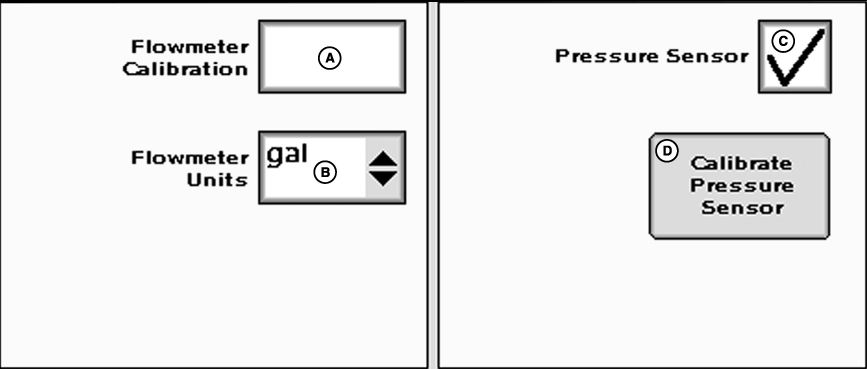
Enter Flowmeter Calibration number as stamped on valve. NOTE: For RAVEN flowmeters, divide the number on the tag by 10 before entering. E.g. "2650 L" = 265 ("700 gal" = 70). NOTE: The number on the RAVEN tag is pulses per 10 units of fluid and the value entered needs to be pulses per unit of fluid. |
Choose unit of measurement from flowmeter units drop-down. Check the pressure sensor box if sensor is installed. Pressure indicator will be displayed on main menu instead of flow rate when pressure sensor is checked. To calibrate pressure sensor, press button and follow on screen instructions. See CONTROLLER DIAGNOSTICS section for system energize process. |
JS56696,000024D -19-05JUL07-1/1 |