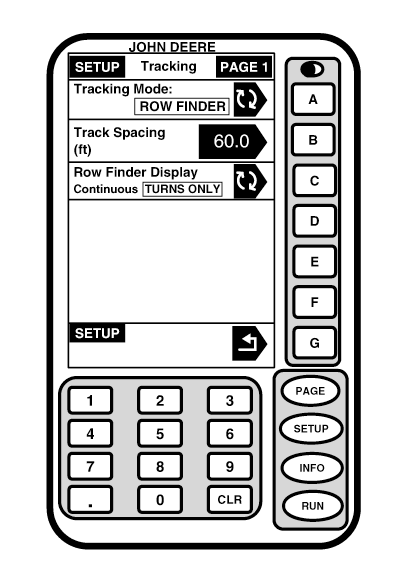
Row FinderNOTE: Only Parallel Tracking will operate in Row Finder mode. RowFinder is only available on RUN Full Page (Not RUN - PAGE 1 screen or RUN - PAGE 2 screen). 1. Press letter button next to TRACKING MODE to toggle to ROW FINDER. ROW FINDER will be shown boxed and in capital letters. NOTE: Continuous, navigation line will remain visible on display. TURNS ONLY, navigation line will remain on display for a distance of four times the track spacing from where letter button next to SET ROW was pressed on RUN screen. 2. Press letter button next to ROW FINDER DISPLAY to toggle between CONTINUOUS and TURNS ONLY. Selection will appear boxed and in capital letters.
|
|
OUO6050,0001F04 -19-18OCT06-1/1 |