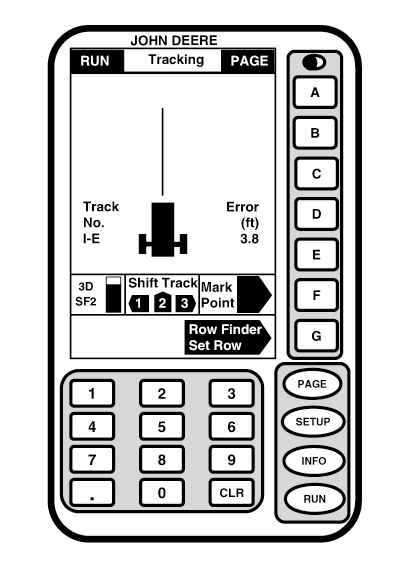
Row Finder (Parallel Tracking Only)NOTE: Full page mode must be selected to use Row Finder. If letter button next to ROW FINDER SET ROW is pressed when machine is stopped, system will reset track 0 based on a 0° heading. It is important that letter button next to ROW FINDER SET ROW is pressed before machine begins making turn at end of pass. To use Row Finder press letter button next to ROW FINDER SET ROW at end of pass before starting turn. Track 0 will be reset based on current track spacing, position and heading. After starting turn, turning view will guide operator into next pass. If turns only mode is selected (see ROW FINDER in Setup Functions section), navigation bar will disappear after machine has traveled four times track spacing from where letter button next to SET ROW was pressed. If continuous mode is selected, navigation bar will remain visible entire pass. |
|
OUO6050,0001F0F -19-18OCT06-1/1 |