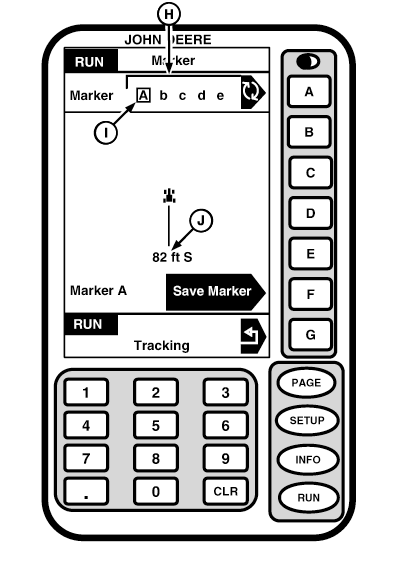
Mark PointPress letter button next to MARK POINT on RUN - PAGE 1 screen or F button on FULL PAGE screen to select mark mode. This page allows operator to save location of up to five points called markers. Letters A through E in cell A (H) are used to identify each marker. Markers are independent of field number. Markers may be located in one field or split between multiple fields. User may scroll through choices by pressing letter button next to MARKER. Marker selected (I) are shown inside clear box. Distance (J) to selected marker is displayed below navigation section. Markers will be stored until written over. NOTE: Due to nature of GPS satellite system, position drift can occur. As time passes marker shown on display may be different from location originally marked. The center of page is used to provide navigation information. Box in center of screen represents machine. Line points in direction of travel to reach marker. For example if marker is behind direction of travel, line will point down. When driving towards mark point line will point up. As machine gets closer to marker line will shorten until it disappears. The distance and direction given (C) is distance and direction machine must travel to return to selected marker. Distance will be displayed in meters/feet until machine reaches a point beyond 1000 meters or 5280 feet then it will switch to kilometers/miles. Travel direction is accurate only when machine is in motion. System always assumes that machine is moving forward. Pressing G button will return display to previous RUN - PAGE screen. If RUN button is pressed display will return to RUN - PAGE 1 screen. |
|
OUO6050,0001F14 -19-29NOV06-1/4 |
|
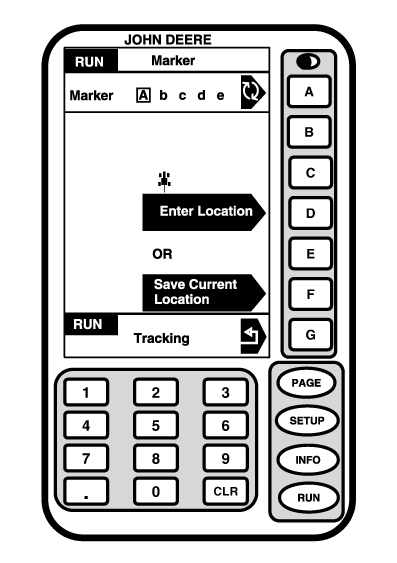
The selected marker can be set to current location by pressing letter button next to SAVE CURRENT LOCATION or by manually entering latitude and longitude by pressing letter button next to ENTER LOCATION.
|
|
OUO6050,0001F14 -19-29NOV06-2/4 |
|
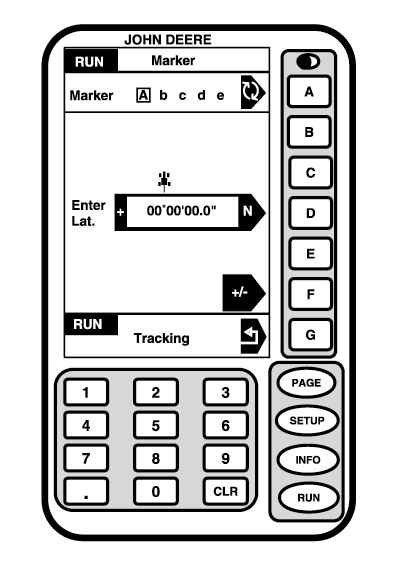
NOTE: Tenths of seconds will have a resolution of 3 m (10 ft). Latitude point must be entered having 2 digits for degrees, 2 digits for minutes, and optional decimal seconds.
|
|
OUO6050,0001F14 -19-29NOV06-3/4 |
|
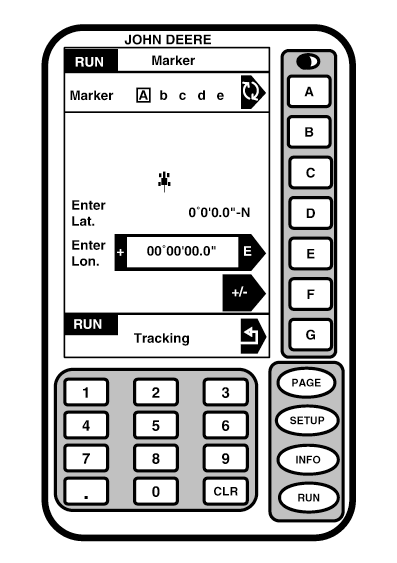
Longitude point must be entered using 3 digits for degrees, 2 digits for minutes and optional decimal seconds. Press F button to toggle between positive or negative.
Markers are stored in system memory until overwritten by a new marker for that field.
|
|
OUO6050,0001F14 -19-29NOV06-4/4 |