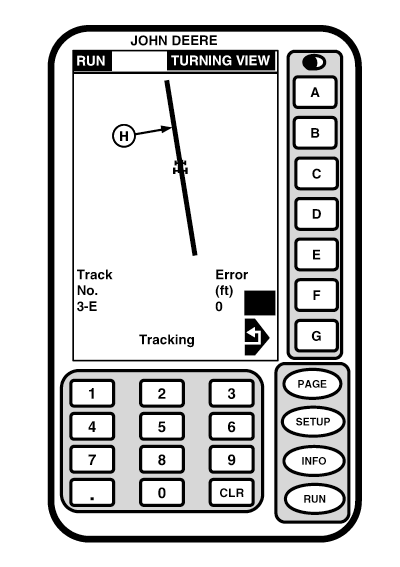
Turning ViewThe turning view provides a visual indicator of machine in relationship to closest track as machine turns. This view can be used as a guide when turning onto a pass. Operator can see relationship between machine and track. Once machine is almost parallel with track, display will automatically return to RUN screen from which it started. The AutoTrac active icon will appear at cell F on this page, when AutoTrac is activated. When Turning View is activated, display will automatically change to turning view screen by turning vehicle more than 45° to track heading. (See SETUP - TRACKING - PAGE 2 in Setup Functions section.) On turning screen machine is located on center of screen. Closest track (H) is shown as a bar across screen. Track number and error indications at bottom of screen are identical to those on RUN screen. To exit turning view before completing a turn press G button.
|
|
OUO6050,0001F15 -19-18OCT06-1/1 |