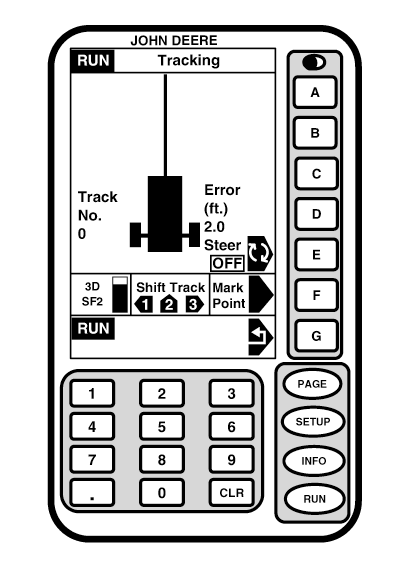
Enabling AutoTrac Universal
The system is enabled when ON is shown next to STEER. The system is disabled when OFF is shown next to STEER. Press letter Button next to STEER to toggle between enable/disable AutoTrac.
To enable system all of the following must be met:
-
AutoTrac KeyCard in Mobile Processor for Original GreenStar System or activated in the GS2 system
-
Tracking is on and has been set up
-
Operator presence mode selected
-
TCM installed, calibrated, and turned on
-
AutoTrac Universal Steering Kit harnesses are connected and powered up
A--
B--
C--
D--
E-Steer
F-3D, SF2 Signal / Shift Track, Mark Point
G-Return
|
|