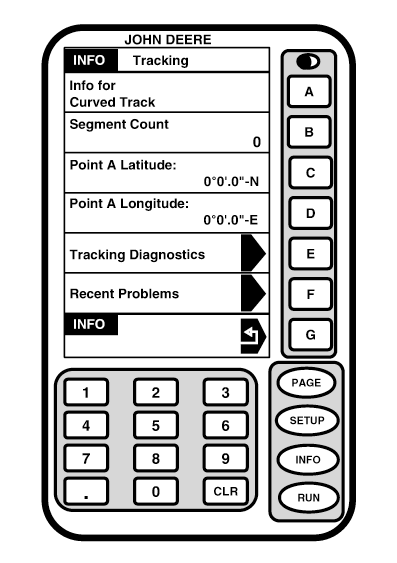
TrackingScreen: INFO - TRACKING Press: INFO >> TRACKING This screen provides information on Straight Track, Row Finder or Curve Track. A recent problem selection is provided for diagnostic purposes. Press letter button next to RECENT PROBLEMS to access. This selection is available in all modes.
|
|
OUO6050,0001F35 -19-18OCT06-1/5 |
|
Straight Track
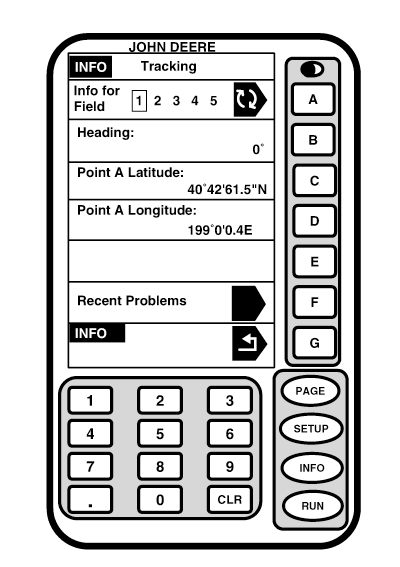
INFO - TRACKING screen allows operator to view basic data about Track 0. NOTE: This is the same information presented on SETUP - PAGE 1 screen. Information on different fields can be viewed by pressing letter button next to INFO FOR FIELD. When field number is changed in INFO - PAGE 1 screen, current field is not changed on RUN and SETUP screens. Press letter button next to INFO FOR FIELD to view information on heading and point A latitude and longitude for selected field.
|
|
OUO6050,0001F35 -19-18OCT06-2/5 |
|
Row Finder
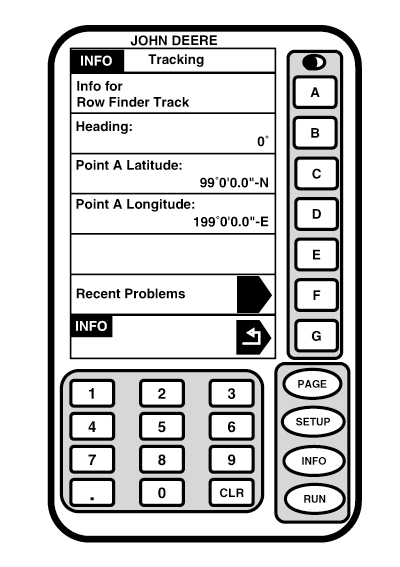
This page shows current heading, point A latitude and longitude. This information shows what heading is in use after letter button next to SET ROW has been pressed on RUN screen.
|
|
OUO6050,0001F35 -19-18OCT06-3/5 |
|
Curve Track
SEGMENT COUNT cell on this screen shows how many segments are being used to determine direction and location of Curve Track. This cell can display up to 32,000 line segments. POINT A LATITUDE cell shows current latitude and longitude for point A.
|
|
OUO6050,0001F35 -19-18OCT06-4/5 |
|
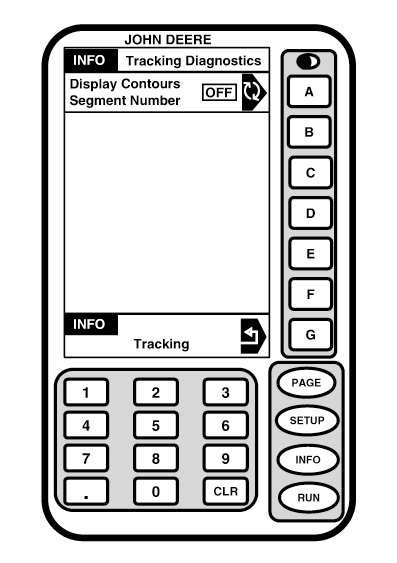
Screen: INFO - TRACKING DIAGNOSTICS Press: INFO >> TRACKING >> TRACKING DIAGNOSTICS This screen is used to help diagnose problems while operating in Curve track mode. Press letter button next to DISPLAY CONTOURS SEGMENT NUMBER to toggle between ON and OFF to display line segment count on RUN - PAGE 1 screen.
|
|
OUO6050,0001F35 -19-18OCT06-5/5 |