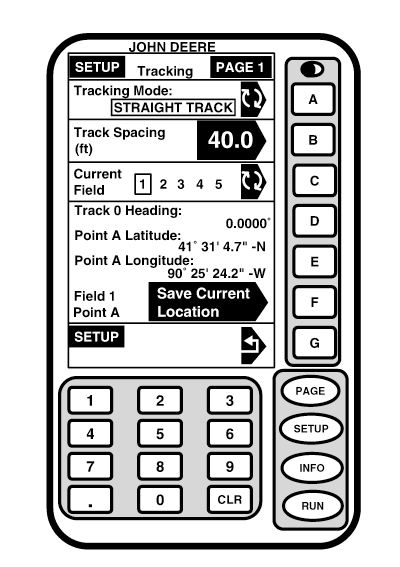
SetupNOTE: It is important that your system be setup properly. Read and follow each procedure in this section to assure proper operation of your guidance system. Screen: SETUP - TRACKING - PAGE 1 Press: SETUP >> TRACKING NOTE: Depending on number of programs loaded on KeyCard, TRACKING may not appear on SETUP - PAGE 1 screen. Press PAGE button to access TRACKING. This screen allows operator to prepare AutoTrac for operation in field. NOTE: Track 0 and A/B lines are two terms used interchangeably, We will use term Track 0. Track Spacing and Track 0 must be set for operation of this mode. Track 0 is the pass from which all parallel passes in field are based. Use following procedures to setup Track Spacing and Track 0. Toggle to STRAIGHT TRACK by pressing letter button next to TRACKING MODE. |
|
OUO6050,00020F7 -19-25OCT06-1/1 |