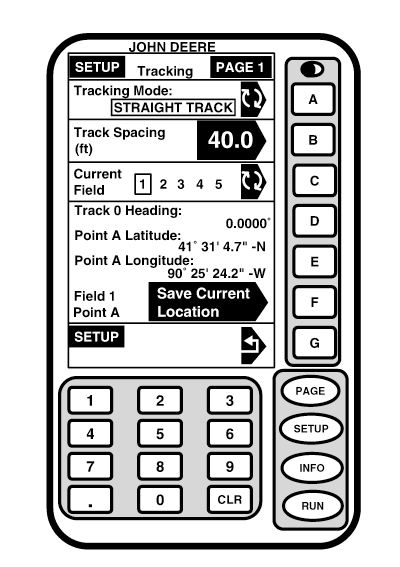
SetupNOTE: It is important that your system be setup properly. Read and follow each procedure in this section to assure proper operation of your guidance system. Screen: SETUP - TRACKING - PAGE 1 Press: SETUP >> TRACKING NOTE: Depending on number of programs loaded on KeyCard, TRACKING may not appear on SETUP - PAGE 1 screen. Press PAGE button to access TRACKING. This screen allows operator to prepare AutoTrac for operation in field. Press letter button next to TRACKING MODE until display toggles to CIRCLE TRACK.
|
|
OUO6050,00020F9 -19-25OCT06-1/1 |