Entering the Circle Center1.
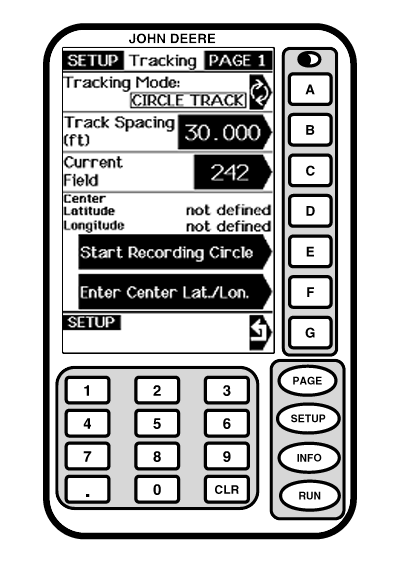
Press letter button next to ENTER CENTER LAT/LON. This enters the coordinates for the center of the circle.
|
|
OUO6050,0002103 -19-25OCT06-1/2 |
|
2.
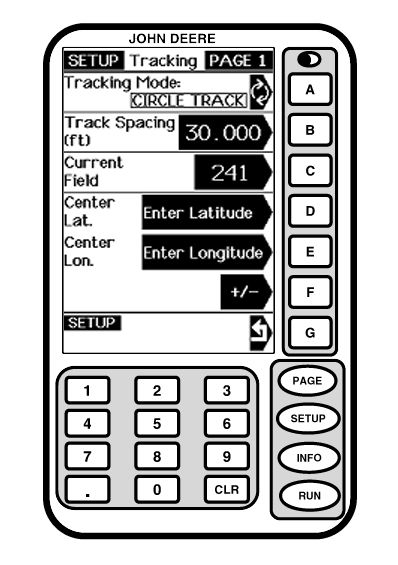
Press letter button next to ENTER LATITUDE and enter coordinate.
This enters the circle center, and shows concentric tracks based upon the track spacing.
|
|
OUO6050,0002103 -19-25OCT06-2/2 |