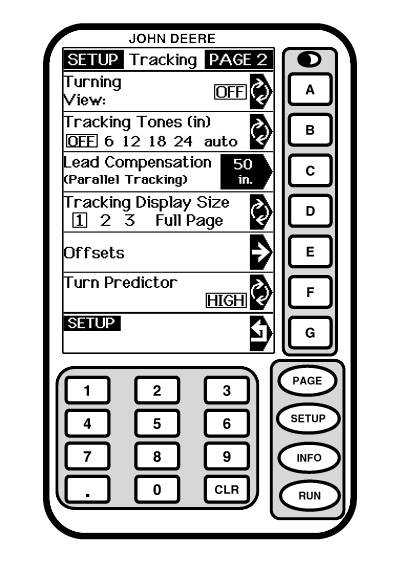
Turning ViewNOTE: Track 0 must be established for current field for turning view to be active. Press letter button next to TURNING VIEW to set turning view on or off. Turning view provides a visual indicator of machine in relationship to closest track as machine turns. This view can be used as a guide when turning into next track. Operator can see relationship between machine and track. Turning View will appear in Straight Track and Row Finder modes once vehicle has turned more than 45° from track heading. RUN screen will revert back to normal once vehicle is within approximately 5° of track. Turning view does not work in Curve Track mode.
|
|
OUO6050,0002114 -19-25OCT06-1/1 |