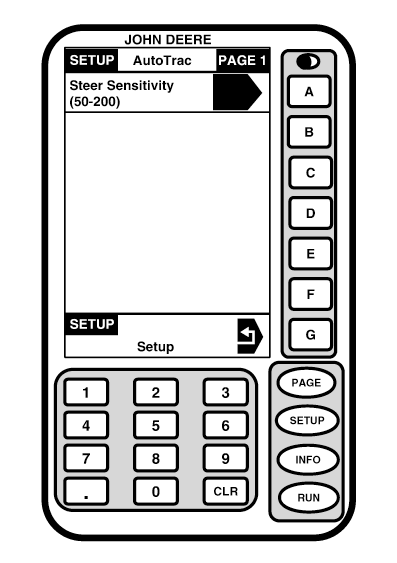
Steering SensitivitySetupScreen: SETUP - AUTOTRAC Press: SETUP >> AUTOTRAC NOTE: It may be necessary to press PAGE button after SETUP button to access AUTOTRAC button. This screen allows steering sensitivity to be changed. Number should be highlighted. Enter desired sensitivity level using numeric keypad. NOTE: Once changes are saved on display, it is not necessary to press RUN button for steering sensitivity changes to take effect. Therefore, if it is necessary to make additional changes to steering sensitivity, simply press letter button next to STEER SENSITIVITY and enter desired sensitivity level using numeric keypad.. Adjust Sensitivity IMPORTANT: In addition to OM tractor ballast guidelines, it is recommended that a full set of front weights and duals be installed for optimum AutoTrac performance. In general, more weight on front axle allows for better steering and more accurate tracking. AutoTrac is not recommended for operating on steep hillsides, in furrows, and with switch plows or any implement that produces a side load. These conditions may cause unsatisfactory performance. User Adjustable Steering Sensitivity steering sensitivity is aggressiveness of AutoTrac steering system. A high steering sensitivity setting is more aggressive to allow system to handle tough manual steering conditions such as integral implements with a heavy draft load. A low steering sensitivity setting is less aggressive to allow system to handle lighter draft loads and higher speeds. |
|
OUO6050,000211A -19-25OCT06-1/3 |
|
|
|
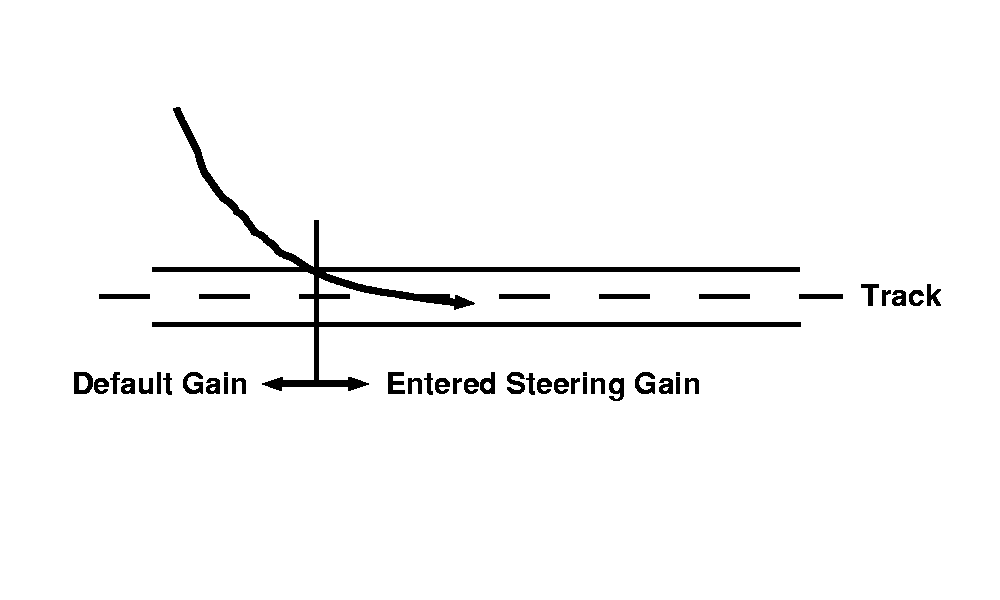
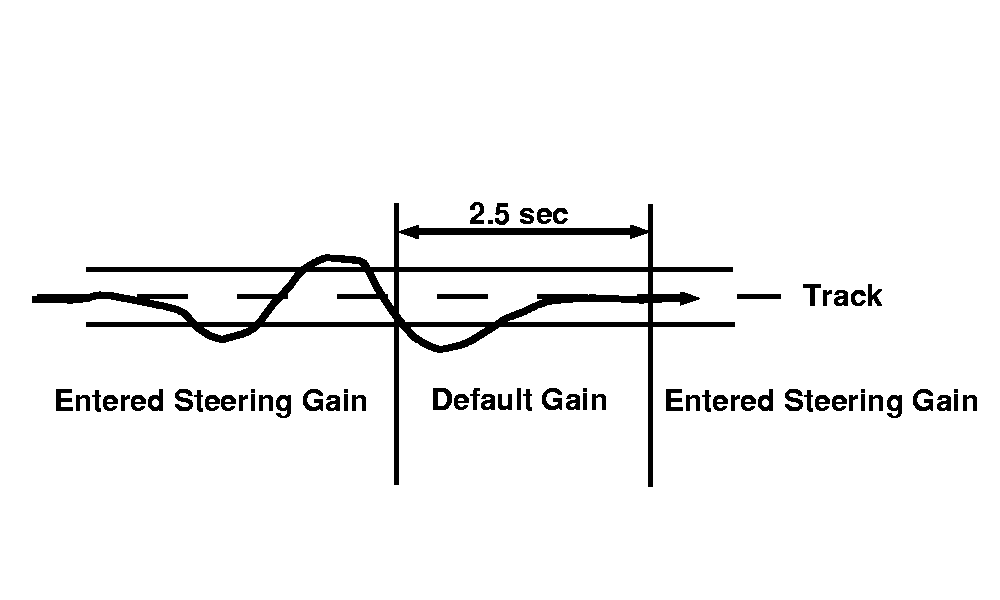
The acquire sensitivity is applied only after machine is within 0.5 M (1.6 ft) of track FIGURE A. Therefore, adjusting steering sensitivity does not change line acquisition performance. The steering sensitivity is momentarily reduced if tractor front wheel and heading oscillations become too large. This event may be observed when implement is raised at start or end of row transitions. If this event is observed while implement is engaged, sensitivity level is too high (see Steering Sensitivity). Adjusting Steering Sensitivity LevelThe steering sensitivity must be adjusted to accommodate field conditions and tractor/implement |
configuration. Steering sensitivity should always be evaluated when implement is engaged. In general, soft soil requires a higher steering sensitivity level than firm ground and an integral implement requires a higher steering sensitivity than a similar drawn implement. Finally, steering sensitivity will not address condition where front wheels are not able to turn tractor. Always make sure front axle load with implement engaged is sufficient for steering before adjusting steering sensitivity level. |
OUO6050,000211A -19-25OCT06-2/3 |
|
|
|
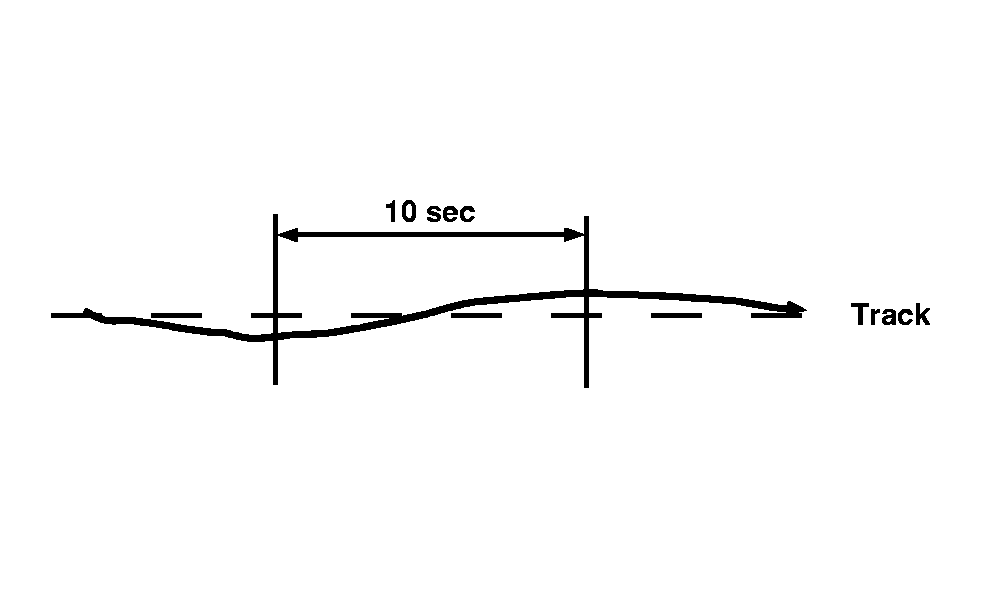
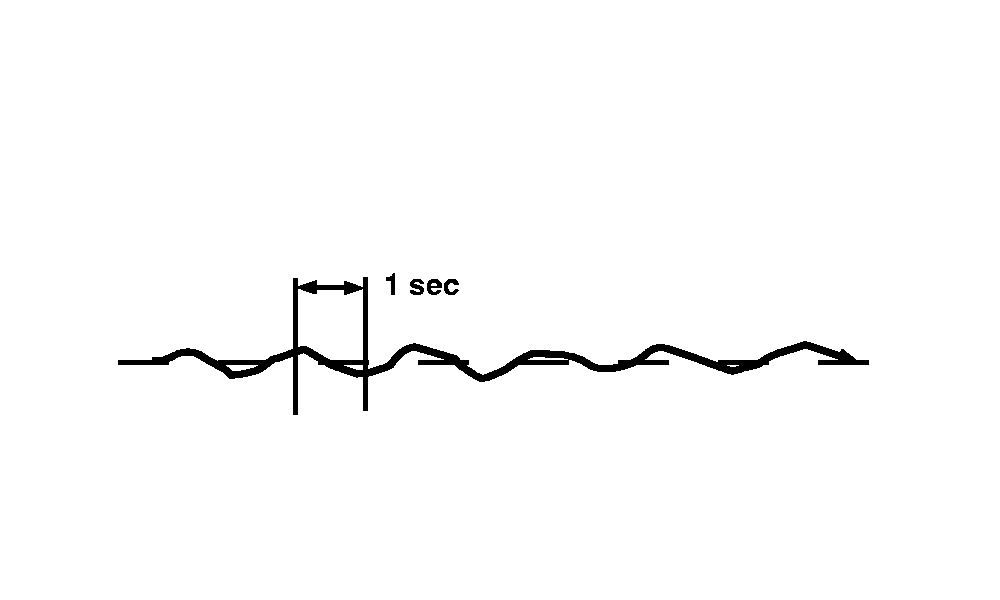
Too Low- If steering sensitivity is too low, a slow wandering track error pattern can be observed on display. This track error pattern takes approximately 10 seconds to go from side to side as is shown in FIGURE A. If excessive track error is occurring, increase steering sensitivity by small increments until desired accuracy is achieved. NOTE: It is normal to see a momentary track error when encountering a large rut, furrow, or implement load change. With steering sensitivity properly adjusted, slower speed applications typically achieve a track accuracy of 0.2 ft or less. |
Too High- Setting steering sensitivity to highest level will not result in maximum tracking accuracy. If steering sensitivity is too high, excessive front wheel motion will be observed which reduces accuracy and causes unnecessary front axle component wear. At extreme high levels, machine motion will become large enough to cause steering sensitivity to be momentarily changed to default level. Wheel motion to watch for when determining if aggressiveness is too high occurs at an interval of approximately 1 second from side to side as shown in FIGURE B. If excessive wheel motion is observed, lower steering sensitivity by small increments until desired performance is achieved. |
OUO6050,000211A -19-25OCT06-3/3 |