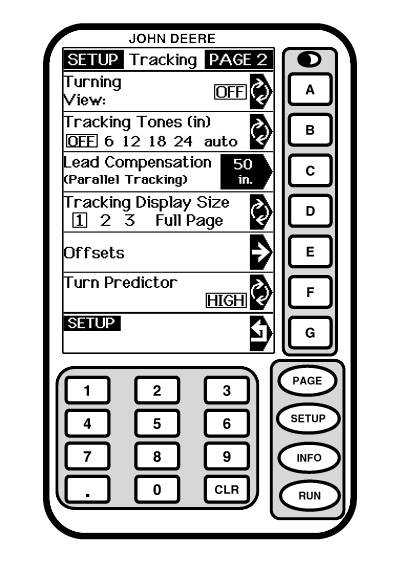
Tracking Display SizeNOTE: When tracking display size is changed, performance monitor information will not be displayed on RUN - PAGE 1 screen until power is cycled. When full page mode is selected, tracking information will be displayed on RUN - PAGE 3 screen. Aerial view (Curve track mode only) can only be accessed from full page mode. Full page mode can either be selected on SETUP - TRACKING - PAGE 2 screen or by pressing letter button next to FULL PAGE on RUN - PAGE 1 screen. Press letter button next to TRACKING DISPLAY SIZE to change tracking display size. Tracking display size will specify number of sections that will be used on RUN - PAGE 1 screen. Tracking display size allows operator to choose appropriate size of RUN - PAGE 1 screen is based on what other applications are using display.
|
|
|||||||||||||
OUO6050,000213B -19-25OCT06-1/1 |