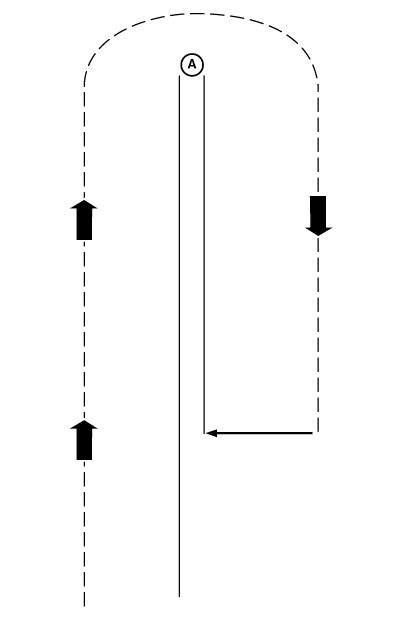
Offsets-Scenario 2Scenario 2 Implement always pulls to one side (right or left) during field operation: This scenario typically results from improper implement setup or operation. Check implement operator's manual to ensure implement is setup and operating correctly. Before setting implement offset make sure appropriate track spacing is entered in SETUP - TRACKING - PAGE 1 screen. If there still is skip or overlap then use following procedures. This may help eliminate or lessen effect of skips or overlaps. NOTE: Implement offset will not compensate for side draft resulting from operating on sloped or uneven terrain. To determine how much and which direction to set implement offset, use following procedures. 1. Set offset in cell next to Implement Offset to 0 (unless operating an offset implement as described in Scenario 1).2. Set track spacing and Track 0 (See SETUP section). 3. Make a complete pass up one track and back down a consecutive track. Stop before completing second pass. There are three possible results: 1.
One pass overlapping other.
4. Measure amount of overlap or skip (A) and divide by 2. This is the amount of offset that needs to entered in cell next to IMPLEMENT OFFSET. 5. Press letter button next to IMPLEMENT OFFSET and enter amount of offset in centimeters (inches). 6. Press letter button next to IMPLEMENT OFFSET again to save this value. 7. Press letter button next to IMPLEMENT to move direction of offset. (See next page for examples.) |
|
OUO6050,000213E -19-25OCT06-1/2 |
|
a. If passes result in an overlap, press letter button next to IMPLEMENT to move implement icon towards overlap. If overlap is on right side of implement, press letter button next to IMPLEMENT until icon is to right, if overlap in on left, press letter button next to IMPLEMENT until icon is to left. b. If two passes result in a skip, press letter button next to IMPLEMENT to move implement icon away from skip. If skip is on right side of implement, press letter button next to IMPLEMENT until icon is on left. If skip is on left side of implement press letter button next to IMPLEMENT until icon is on right. |
OUO6050,000213E -19-25OCT06-2/2 |