Activating System
 CAUTION:
While AutoTrac is active operator is responsible for steering at end of path and collision avoidance. CAUTION:
While AutoTrac is active operator is responsible for steering at end of path and collision avoidance.
After system has been ENABLED, operator must manually change system to ACTIVE status when steering assistance is desired.
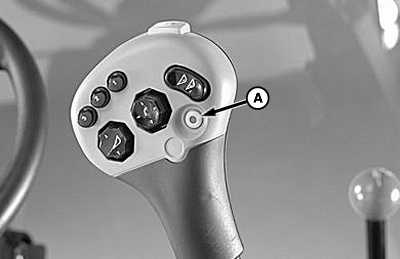
Press resume switch (A) on multi-function handle to activate AutoTrac.
This will initiate assisted steering.
Double click resume switch (A) on multi-function handle to:
1.
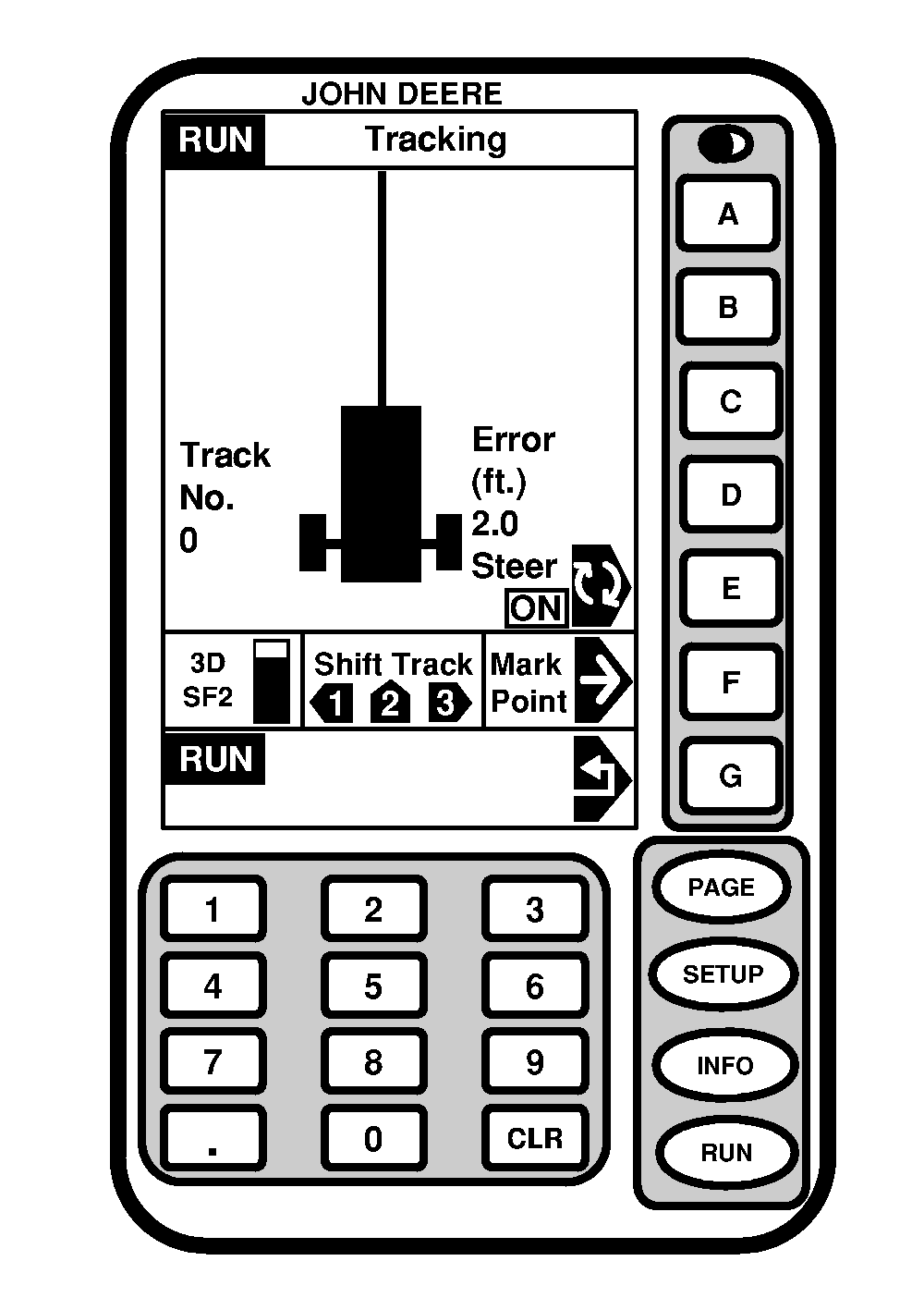
Re-center line on vehicles's location (Centre track must be enabled, see SETUP AutoTrac page)
2.
Activate AutoTrac This will initiate assisted steering.
NOTE:
Double click must occur within 0.5 seconds to re-center the line
In order to activate system following criteria must be met:
-
SF2 signal is present.
-
Road Transport Switch is in field position.
-
Row Track button needs to be turned ON.
-
Main clutch is switched ON.
-
Header is engaged.
-
Forward vehicle speed is greater than 0.5 km/h (0.3 mph) or reverse vehicle speed is less than 10 km/h (6.0 mph).
-
Forward vehicle speed is less than 22 km/h (13.2 mph).
-
Vehicle heading is within 80° degrees of desired track if speed is less than 10 km/h.
-
Vehicle heading is within 45° degrees of desired track if speed is higher than 10 km/h.
-
Off track error is within 40 % of track spacing.
-
Operator is seated.
-
TCM is turned ON (See StarFire iTC Receiver section for TCM calibration and more information).
|