Row Sensor Calibration ProcedureThis procedure is performed when the system is installed or after system is repaired. Row sensors must be installed and positioned against the at-rest stops. 1. Prepare for CalibrationVerify row sensors are installed with springs holding them in the at-rest position. Raise header to ensure that the row sensors are not contacting the ground. Combine must not be moving.
|
|
OUO6050,0000F2F -19-27APR08-1/2 |
|
2.
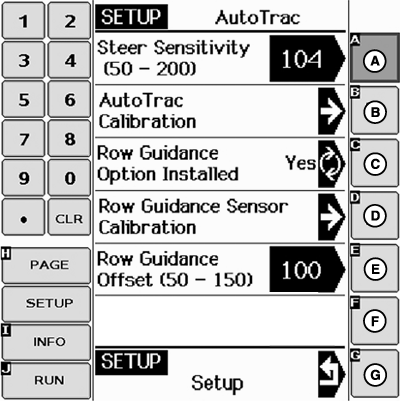
Press SETUP button on Original GreenStar Monitor. Press letter button pointed to by AutoTrac.
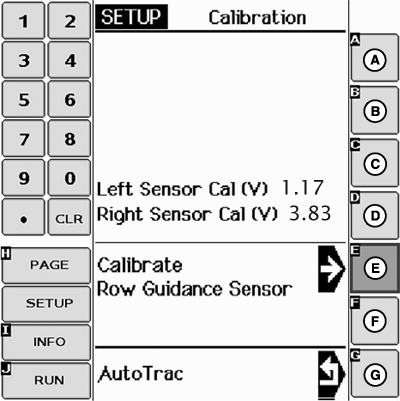
3. Calibrate Sensor At-Rest Voltages Press Row Guidance Sensor Calibration button (E) to store the sensor at-rest voltages into SSU memory. NOTE: GSD screen will now display the left sensor and right sensor voltages. The right sensor at-rest voltage should be greater than 2.5 volts. The left sensor at-rest voltage should be less than 2.5 volts. 4. End of Calibration Exit row sensor calibration mode.
|
|
OUO6050,0000F2F -19-27APR08-2/2 |