RowFinder
|
|
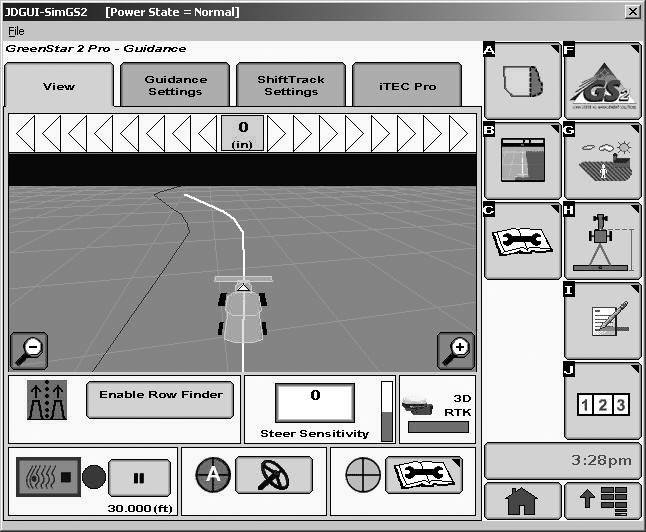
RowFinder can be used when operating in adaptive curves and finding a row that is two or more passes away. When approaching the headland in Adaptive Curve mode, select ENABLE ROWFINDER button. This will record the vehicle position and heading. NOTE: The recorded position and heading will be discarded if AutoTrac is not disengaged within 3 minutes of first selecting the ENABLE ROWFINDER button At the end of the row, ensure that recording is turned off. The display will project parallel rows. |
Proceed in the headland toward the desired row. Enter the row and select DISABLE ROWFINDER button. This will change the system back to Adaptive Curves Mode. Before harvesting is started ensure recording is turned on. Press the resume switch. AutoTrac will then guide the combine down the row and a new first path will be recorded. |
OUO6050,0000F39 -19-03APR08-1/1 |