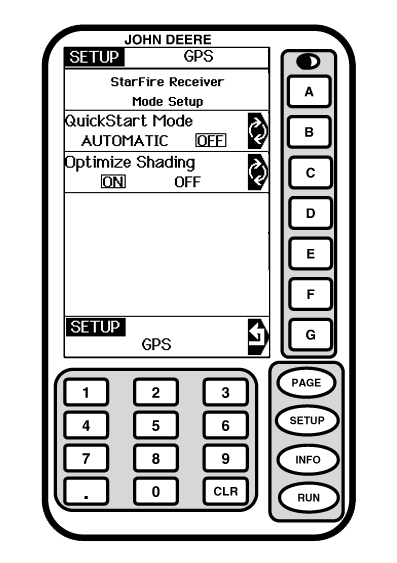
QuickStart SetupScreen: SETUP - GPS Press: SETUP >> STARFIRE ITC >> QUICKSTART SETUP QuickStart reduces amount of time required before full accuracy is achieved. If QuickStart is activated (automatic mode) and receiver has SF2 when it is powered down, a position is saved for future QuickStart. If power is restored to receiver within time period defined under HOURS ON AFTER SHUTDOWN, QuickStart won't be needed since receiver power was never disrupted. If duration has exceeded HOURS ON AFTER SHUTDOWN, QuickStart will be initiated. Saved position will be used to bypass startup warm up period that is usually required. Receiver cannot move while this QuickStart is taking place. It may take up 6 minutes for QuickStart to complete. User will be notified on screen when it's done. To activate automatic mode Press letter button next to QUICKSTART MODE to toggle between AUTOMATIC and OFF. Optimize Shading When selected\enabled this feature allows AutoTrac SF1 and SF2 to function in partially shaded conditions using a minimum of 4 L1 satellites. Utilizing this function could cause a reduction in guidance accuracy when only L1 satellites are being utilized. Operators that will not be operating in a shaded area should not have this feature selected\enabled. |
|
JS56696,00005BC -19-13MAY09-1/1 |