Calibrate Level-TCM
|
|
|
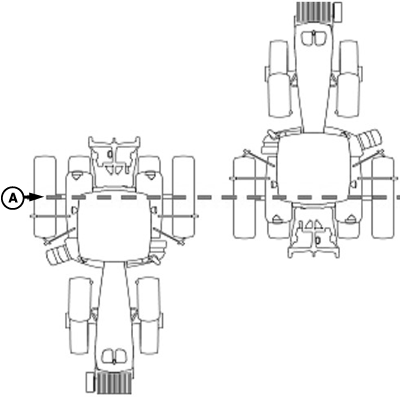
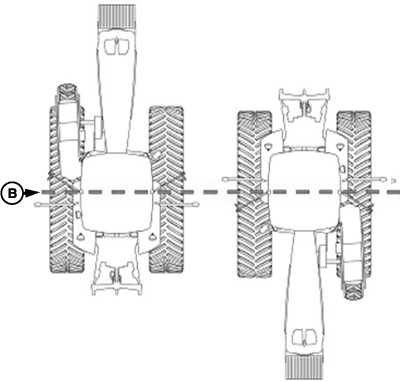
NOTE: Calibrate receiver when it is attached or reattached to machine. Receiver does not require recalibration until removed from machine and reattached. Positioning Machine during CalibrationIMPORTANT: When calibrating, it is important that TCM is at same angle when facing either direction. If roll angle is a positive 2° when facing one direction, vehicle needs to be a negative 2° when facing opposite direction. To position TCM at same angle it is important when turning vehicle around and facing other direction that tires are placed in correct location. Once vehicle is parked on a hard flat surface, note |
location of tires on ground. When turning around use following instructions:
|
JS56696,00005C0 -19-13MAY09-1/5 |
|
Calibration Surface
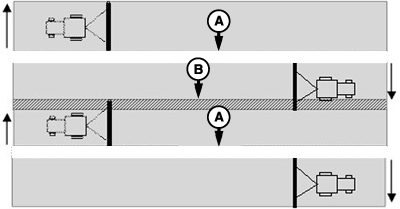
IMPORTANT: Vehicle must be on a hard, flat level surface for calibration. If TCM is not calibrated on a level surface or TCM mounting angle is not level in relation to vehicle angle (StarFire mounting bracket or vehicle cab being slightly offset, uneven tire pressures from one side to other, etc.) operator may see offset during operation. This offset could look like a consistent skip (A) or overlap (B) in pass-to-pass operation. To eliminate offset, re-calibrate on a level surface, drive down a pass, turn around and drive down same pass in opposite direction. If vehicle does not follow same pass, measure offset distance and enter in implement offset in SETUP - TRACKING - PAGE 2. See implement offset section. After initial calibration of TCM, it is not necessary to calibrate again unless TCM angle in relation to vehicle has changed. For example, tire pressure has been lowered on one side of vehicle causing vehicle angle in relation to ground to change. |
|
JS56696,00005C0 -19-13MAY09-2/5 |
|
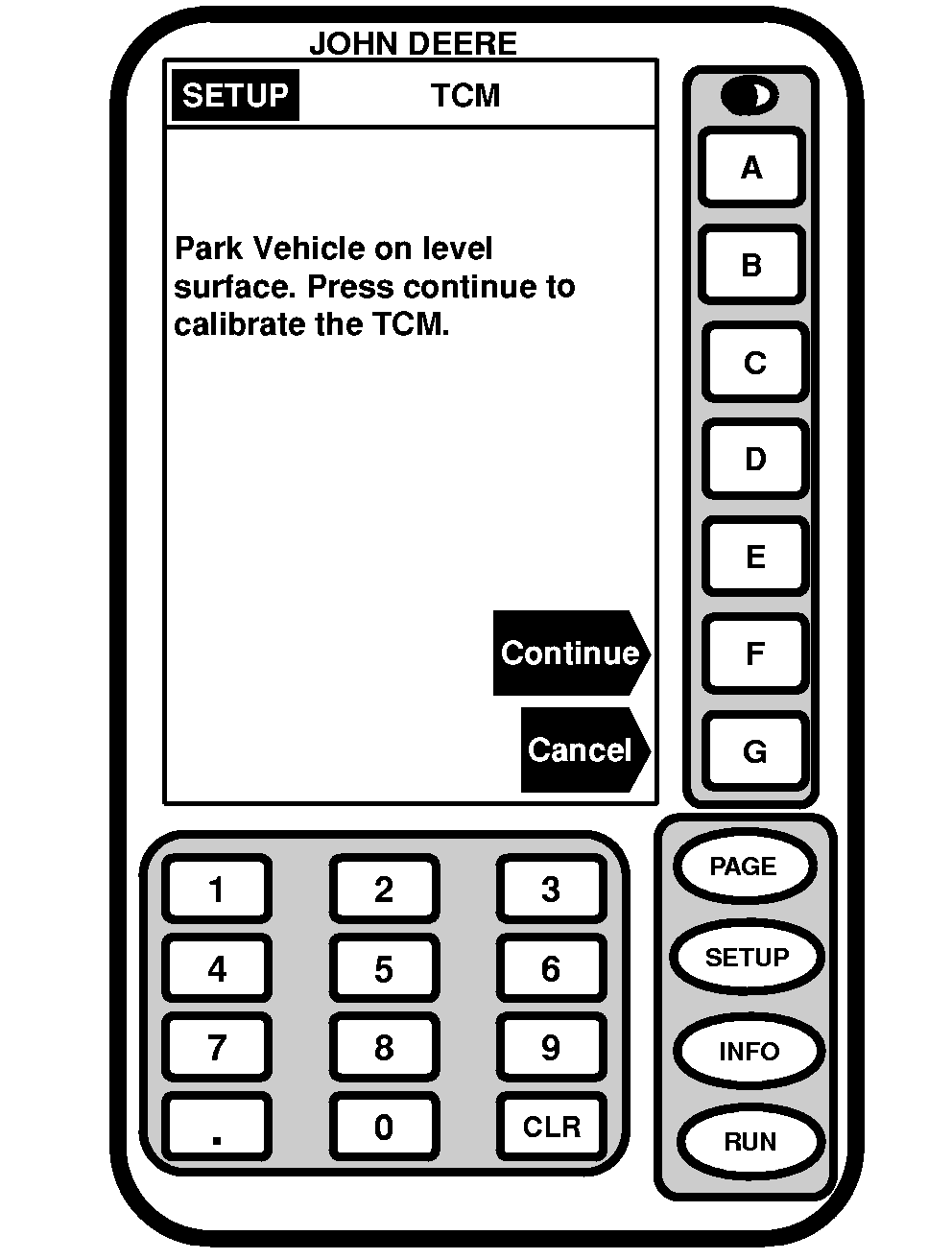
Screen: SETUP - TCM Press: SETUP >> STARFIRE ITC >> TCM SETUP >> CALIBRATE LEVEL 1. Once vehicle is on a hard, level surface and has come to a complete stop (cab is not rocking), Press letter button next to CONTINUE.
|
|
JS56696,00005C0 -19-13MAY09-3/5 |
|
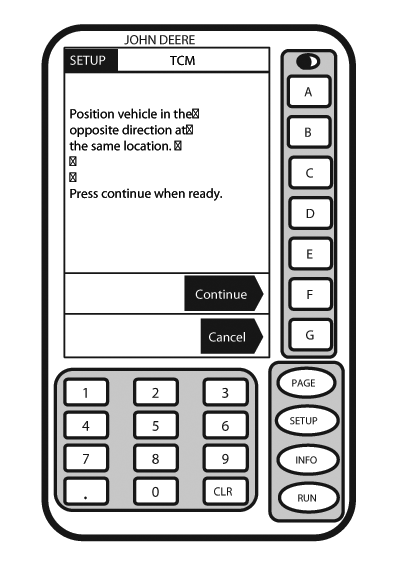
NOTE: While calibrating, TCM will provide a warning if it detects vehicle roll angle is greater than 10° relative to internal axis of TCM. If vehicle is on a level surface and yet warning is displayed, check mounting orientation of TCM and verify it is aligned within 10° of vehicle axis. 2. Turn vehicle 180° to face opposite direction. Ensure that tires are in proper location for fixed or floating front axle. 3. Ensure vehicle has come to a complete stop (cab is not rocking) and Press letter button next to CONTINUE.
|
|
JS56696,00005C0 -19-13MAY09-4/5 |
|
4.
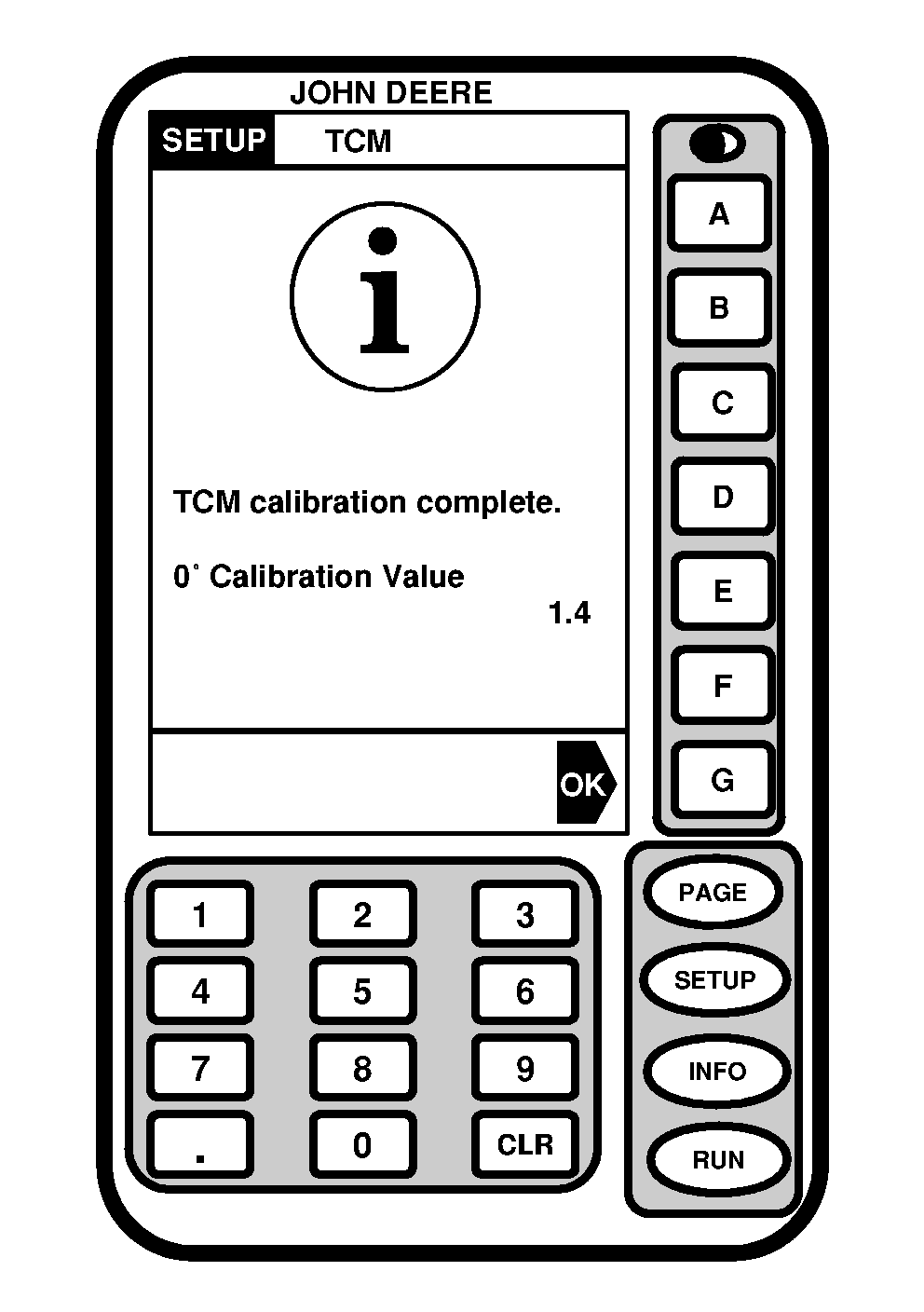
Press letter button next to OK.
5. Once finished, a calibration value will be displayed. The 0° calibration value is the difference between the factory calibration value and actual calibration value which was just determined.
|
|
JS56696,00005C0 -19-13MAY09-5/5 |