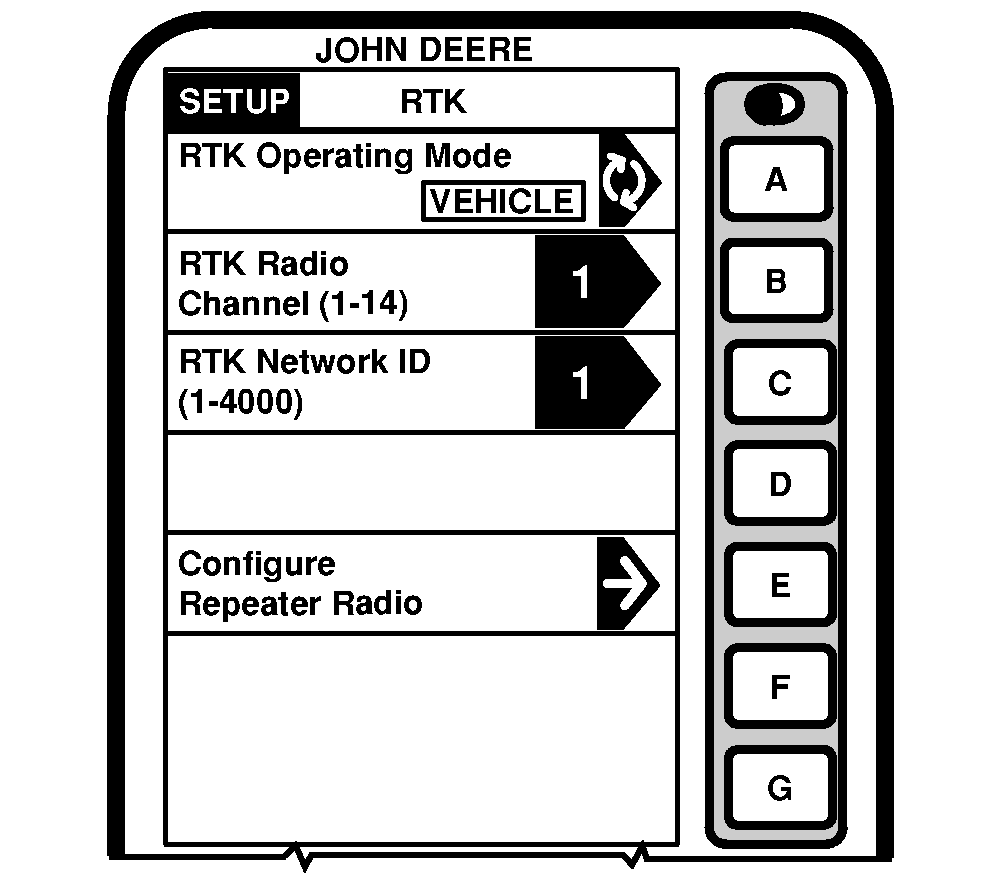
Quick Survey ModeNOTE: Display is not required after base station receiver has been configured to operate in Quick Survey Base Mode and RTK Frequency, Radio Channel/Network ID have been set. Connect display to base station.. Screen: SETUP - RTK Press: SETUP >> STARFIRE ITC >> DIFF CORRECTION SETUP >> RTK SETUP NOTE: Quick Survey Base Mode allows base station to broadcast corrections after receiver calculates GPS position. If power is removed from base station (but not moved) power can be restored and same base station position will be used for corrections. If previously used Track 0 is recalled in Parallel Tracking/Auto Trac no Shift Track will be needed. If power is removed and base station is moved, a new position will be calculated when power is restored. If previously used Track 0 is recalled in Parallel Tracking/Auto Trac, use Shift Track. (See AutoTrac Operator's Manual for Shift Track procedures.) Press letter button next to RTK OPERATING MODE and toggle to QUICK SURVEY BASE MODE. |
|
JS56696,00005CD -19-13MAY09-1/1 |