GreenSeeker
IMPORTANT: FieldDoc Connect Cable must be wired to COM2 on GreenStar side.
Attach GreenSeeker hardware according to the GreenSeeker manual.
Connect the GreenSeeker PDA to the GreenStar RS-232 cab connector.
Calibrate the John Deere spray system according to the spray system’s manual.
Calibrate GreenSeeker System according to the GreenSeeker manual. (Calibration may not be needed).
Set Master Spray Switch (in cab) to AUX to enable SprayStar to accept the prescription.

PC8663-UN-05AUG05MENU button

PC8661-UN-02NOV05GREENSTAR2 PRO button

PC8676-UN-05AUG05RESOURCE/CONDITION softkey
Select MENU button >> GREENSTAR2 PRO button >> RESOURCE/CONDITIONS softkey >> RESOURCES tabFill in Client, Farm, Field, and Task information to enable documentation.
PC8663-UN-05AUG05MENU button
PC8661-UN-02NOV05GREENSTAR2 PRO button

PC8677-UN-05AUG05EQUIPMENT softkey
Select MENU button >> GREENSTAR2 PRO button >> EQUIPMENT softkey >> MACHINE tabFill in the machine information.
PC8663-UN-05AUG05MENU button
PC8661-UN-02NOV05GREENSTAR2 PRO button

PC8678-UN-05AUG05DOCUMENTATION softkey
Select MENU button >> GREENSTAR2 PRO button >> DOCUMENTATION softkey >> PRODUCT APPLICATION tabView auto-generated product application tab.
Select Rx button to indicate prescription.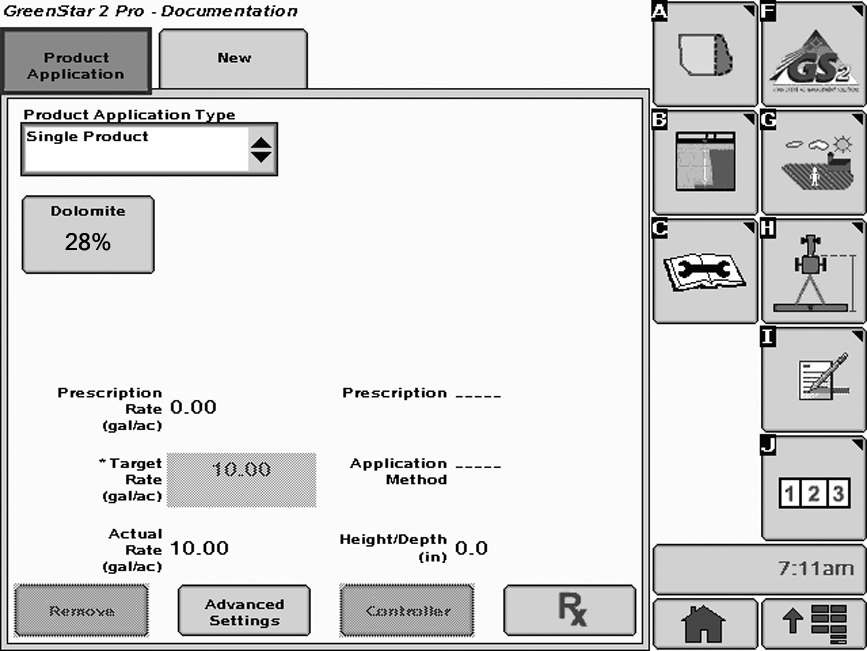
PC10001-UN-25SEP07
Select GreenSeeker from Prescription drop-down list.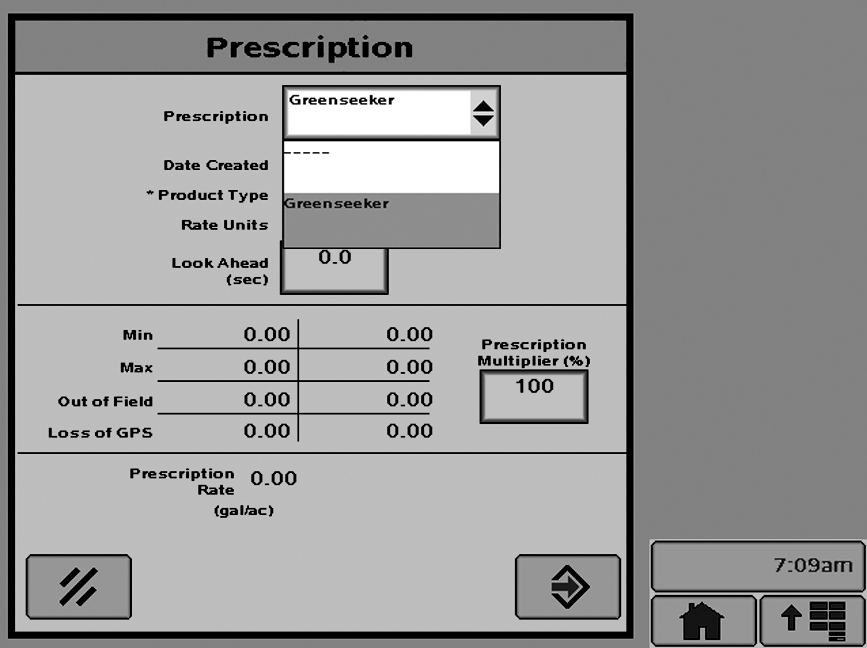
PC10003-UN-19APR07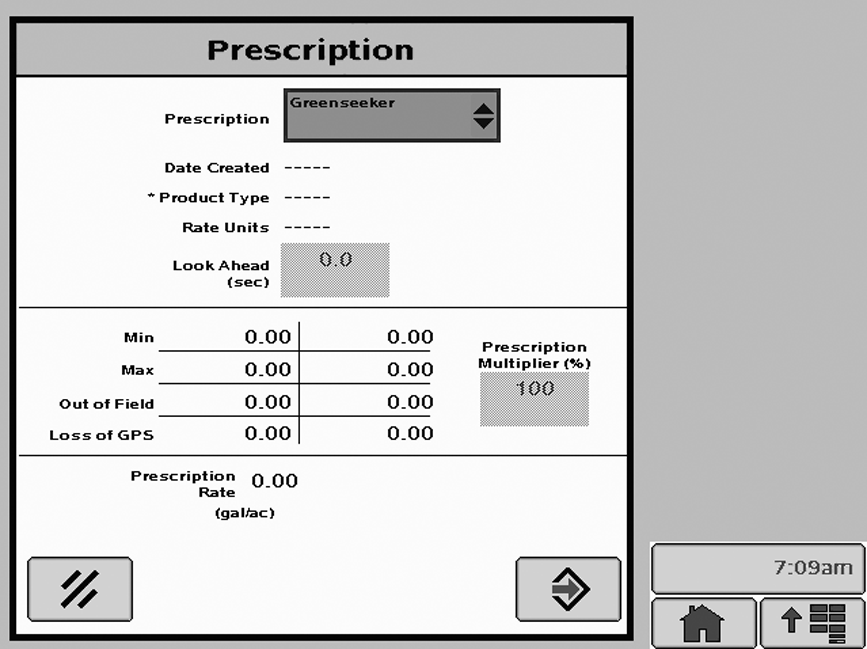
PC10004-UN-23APR07
PC8649-UN-01NOV05ENTER button
Select the ENTER button to accept the prescription.
Setup is done. Begin the application.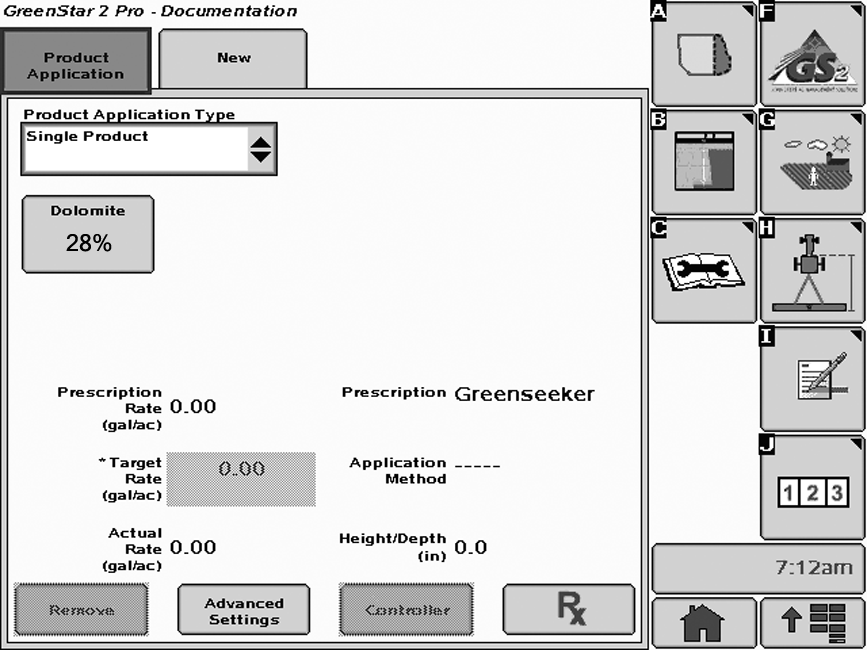
PC10005-UN-25SEP07
The GS2 is now ready to receive target rates from GreenSeeker.
JS56696,0000493-19-20081006 |