Auxiliary Controls—Assignment Error Messages
While assigning functions, some assignment error messages may appear.
ZX1042163-UN-04DEC08
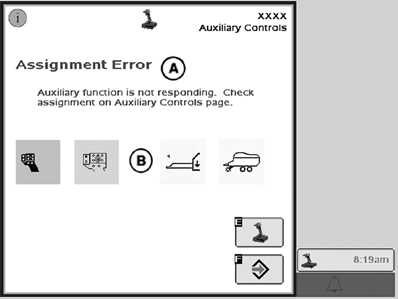
Auxiliary Assignment—Time out
A - Assignment Error
B - Assignment
E - Auxiliary Controls Page Access Key
F - Enter Key
When an auxiliary function is not responding to an assignment request, the error message (A) appears:Auxiliary function is not responding. Check assignment on Auxiliary Controls page.
The related assignment (B) is displayed. Press key E to reach the Auxiliary Controls page or enter key F to return to the previous screen.
IMPORTANT: It is recommended to press key E to reach the Auxiliary Controls page and check the auxiliary function assignment.
NOTE: The failed assignment is indicated by the missing status indicator while the input device and input are displayed.
ZX1042164-UN-04DEC08
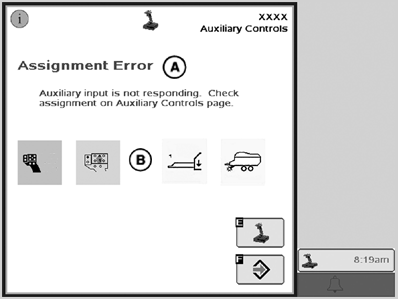
Auxiliary Input Status Enable—Time out
A - Assignment Error
B - Assignment
E - Auxiliary Controls Page Access Key
F - Enter Key
When an auxiliary input is not responding to an assignment request, the error message (A) appears:Auxiliary input is not responding. Check assignment on Auxiliary Controls page.
The related assignment (B) is displayed. Press key E to reach the Auxiliary Controls page or enter key F to return to the previous screen.
IMPORTANT: It is recommended to press key E to reach the Auxiliary Controls page and check the auxiliary input assignment.
NOTE: The failed assignment is indicated by the missing status indicator while the input device and input are displayed.
ZX1042165-UN-04DEC08
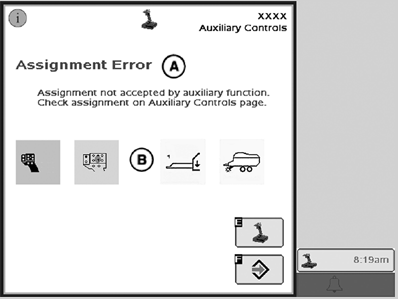
Auxiliary Assignment—Negative Response
A - Assignment Error
B - Assignment
E - Auxiliary Controls Page Access Key
F - Enter Key
When an implement rejects an assignment, the error message (A) appears:Assignment not accepted by auxiliary function. Check assignment on mapping screen.
The related assignment (B) is displayed. Press key E to reach the Auxiliary Controls page or enter key F to return to the previous screen.
IMPORTANT: It is recommended to press key E to reach the Auxiliary Controls page and check the auxiliary input assignment.
NOTE: The rejected assignment is indicated by the missing status indicator while the input device and input are displayed.
ZX1042529-UN-04DEC08
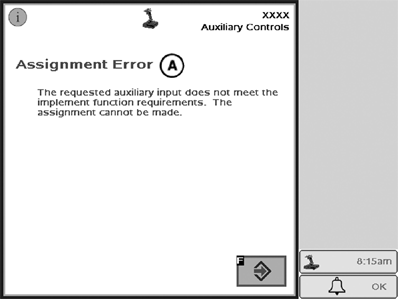
Auxiliary Assignment—Negative Response
A - Assignment Error
F - Enter Key
When the selected auxiliary input does not match the implement functions while the learn mode is active (thus the assignment was not successful), the error message (A) appears:The requested auxiliary input does not meet the implement function requirements. The assignment cannot be made.
Press enter key F to reach the Auxiliary Controls page and check the auxiliary input assignment.
OUCC002,00029ED-19-20081204 |