Performance Monitor

PC9097-UN-17APR06
Recording Status – BPM

PC9098-UN-17APR06
Recording Status - APM
Recording StatusBPM recording status will be denoted with a blinking red light next to the RECORD button on the setup page and also at the bottom of the main page and totals page. The light reflects the status of the recording source chosen by the operator (blinking means recording on, white means recording off). In APM, the Green arrow pointing down denotes In-Work status.

PC9099-UN-17APR06
Service Interval
Service IntervalsThe operator is able to view and change the Service Intervals Field. When the operator changes the Service Interval, the Hours Since Last Service value will remain unchanged. If the operator sets the interval to zero, the Service Interval function will be disabled. The valid range is 0 - 990 hours. When ‘Service Interval’ – ‘Hours Since Service’ is less than 20 hours to next service, the operator will see an alarm saying "The vehicle is due for service in XX hours." After the alarm is cleared by the operator, it will not display again until the next power cycle. The first figure below shows the service interval input field, while the second figure shows the alarm box when the vehicle needs to be serviced.
PC9100-UN-17APR06
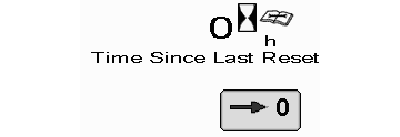
Time Since Last Reset
Hours Since Last ServiceThe operator is able to manually reset the hours since service value, at which time an alarm will display confirming that the total should be reset. The first figure below shows the reset button for hours since service and the second shows the confirmation alarm. On CAN-Based vehicles, the operator will need to select and HOLD the reset button for 3 seconds. See list of CAN-Based vehicles in APM section.
OUO6050,000230C-19-20090930 |