PERFORMANCE MONITOR TOTALS SCREEN

PC9130-UN-18APR06
BPM Totals Screen

PC9131-UN-17APR06
APM Totals Screen
The totals screen of the PM application contains three sections: the first contains the averages for many of the instantaneous functions from the main page, the second contains the total distance and a reset button, and the third contains the record button. All of the items will be stored in memory so the values will be retained between vehicle power cycles. Totals and Settings Screens will remain identical in both the APM and BPM applications.
PC9086-UN-17APR06
Total Area
Total Area
This is the area covered by the implement since the last time this counter was reset. The area is calculated from the implement / header width, speed source (priority is GPS speed, radar speed, wheel speed), and the Recording Source set in Performance Monitor. If Recording is off, area will not accumulate. If the value exceeds 9999.9, the counter will reset to zero.
NOTE: The Implement Width does not change with Overlap Control like in GreenStar Totals, so the area value may be different from the value in GreenStar Totals.

PC9087-UN-17APR06
Average Productivity
Average Productivity
Average productivity is calculated from the total area and total time accumulated while the vehicle is moving and recording since last reset.

PC9088-UN-17APR06
Average Fuel Per Area
Average Fuel Per Area\
Average fuel per area is calculated from the total fuel used and total area accumulated since last reset.

PC9089-UN-17APR06
Average Fuel Economy
PM will use the absolute fuel consumption and an internal timer that is incremented as soon as the engine is running since last reset to compute the average fuel per hour.

PC9090-UN-17APR06
Total Fuel Used
Total Fuel Used
If available from the vehicle, the operator will be able to view total fuel used in liters (or gallons) since last reset. The value can be manually reset by the operator.

PC9091-UN-17APR06
Average Operating Speed
Average Operating Speed
The PM will maintain a value that represents the average operating speed of the machine when the machine is moving. These units will be expressed in terms of distance/time. The PM will calculate the value by dividing the total distance traveled by the vehicle (since the last reset) by the total engine hours accumulated when the vehicle is moving (since the last reset). Hours accumulated when the vehicle is sitting still will not contribute to these calculations.

PC9092-UN-17APR06
Total Engine Hours
Total Engine Hours
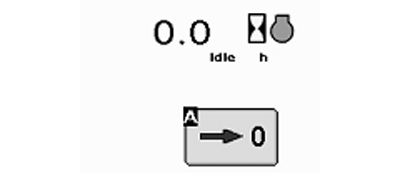
Engine hours are a value that represents the number of tenths of an hour that the vehicle’s engine has run since last reset. Engine hours are only incremented when the engine RPM’s are above 0.

PC9093-UN-17APR06
Total Idle Time
Total Idle Time
The operator will be able to view a value that represents how much time the vehicle has spent in the idle state. This value will increment any time the vehicle is running and is at idle. The vehicle is considered to be at idle if all of the following conditions are met:
- Engine RPM is above 0
- Vehicle is not moving based on radar, GPS, or wheel speed sensor
- Front and Rear PTO are disabled
- All SCV’s are in neutral or float
If all of the conditions listed above are met, the application will count/record how much time is spent at idle.

PC9094-UN-17APR06
Total Distance
Total Distance
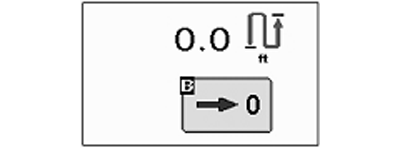
The total distance counter will accumulate any time the tractor is moving (regardless of recording status or speed input). The distance counter that appears on the main screen is the same counter that appears on the totals screen.\
PC9132-UN-18APR06
Reset Area Totals
Resetting TotalsMany of the counters/totals can be reset by the operator. This capability will be accomplished via two different reset buttons. Alarms will display to confirm the actions before the totals are reset.
NOTE: When operating with APM, you must HOLD DOWN the reset button for 3 seconds to clear out the totals.
Reset Area Totals (this will reset all values on the totals page except distance)
PC9133-UN-17APR06
Reset Distance
Reset Distance (only resets the distance counter)OUO6050,0002311-19-20090901 |