GPS Receiver Setup

PC8663-UN-05AUG05
MENU Softkey
PC9966-UN-09FEB07
StarFire iTC Implement Softkey
PC9965-UN-09FEB07
StarFire iTC Machine Softkey
MENU >> STARFIRE iTC Implement >> SETUP tab allows access to StarFire iTC setup on the implement.
NOTE: The implement receiver will detect its position automatically when it is attached to the implement receiver application harness. If there is no implement receiver shown on the CAN bus, check implement harness connection.
NOTE: Original StarFire receivers cannot be used on the implement or machine for iGuide.
NOTE: When updating the receiver software, only one receiver may be connected to the CAN bus while updating the software. Software updates for both receivers must be performed at the machine receiver location.
The number below the text on the StarFire iTC Softkey shows the serial number of the receiver.
On the StarFire Main page the receiver definition (Machine or Implement) is shown in the headline.
PC12310-UN-28SEP09
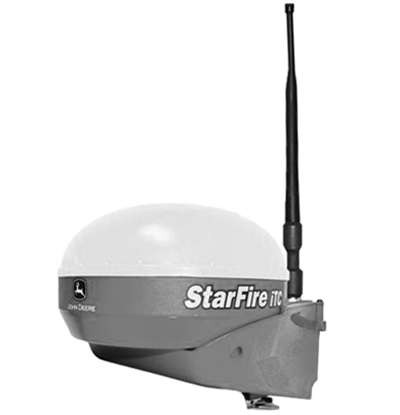
Machine iTC Receiver
PC11529-UN-10DEC08
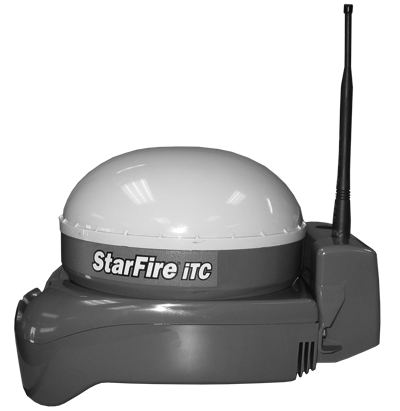
Implement iTC Receiver
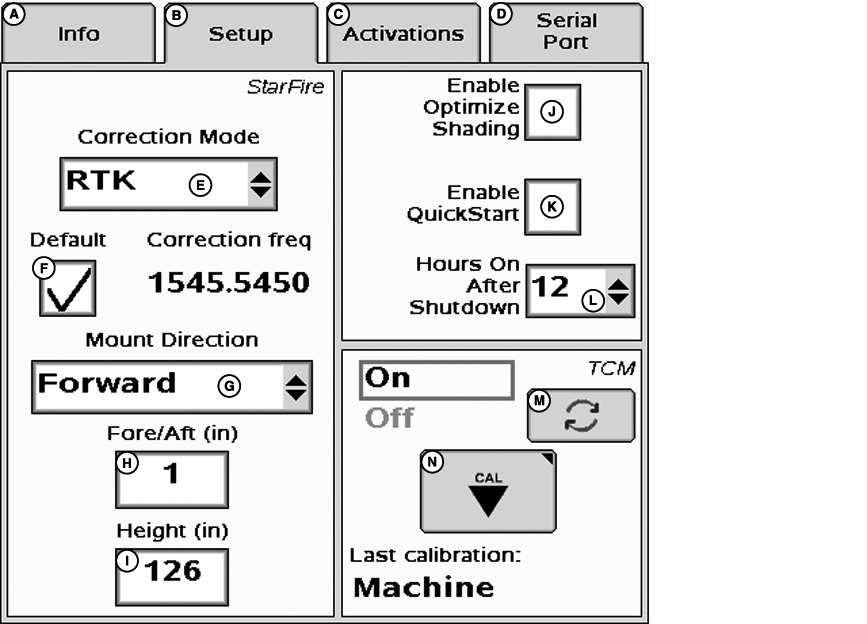
PC11844-UN-23MAR09
StarFire iTC Implement—Main
A - Info Tab
B - Setup Tab
C - Activations Tab
D - Serial Port Tab
E - Correction Mode Drop-Down Menu
F - Correction Default Check-Box
G - Mount Direction Drop-Down Menu
H - Fore/Aft Input-Box
I - Height Input-Box
J - Enable Optimize Shading Check-Box
K - Enable QuickStart Check-Box
L - Hours On After Shutdown Drop-Down Menu
M - TCM On/Off Toggle Button
N - TCM Calibrate Button
Select Correction Mode to match the desired correction mode. iGuide requires both receivers to have the same RTK differential correction level (SF1 and SF2 are not compatible with iGuide).
See APENDIX—VALID CONFIGURATION for more information.
Select the correct mounting direction. The preferred mounting direction for the implement is forward.
NOTE: Face receiver directly straight forward or backward.
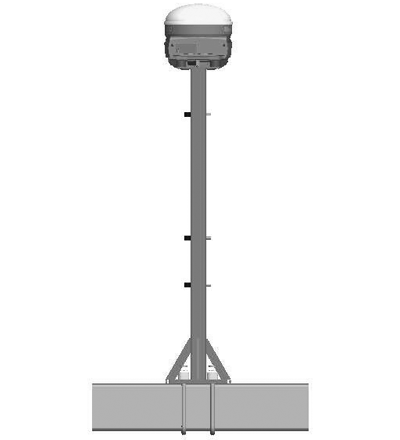
PC11208-UN-14JUL08
Rear View Of Mast
Enter the correct receiver height above the ground. To measure the receiver height, put the implement at its working depth (if possible) and measure the height. If this is not possible, lower the implement to the ground, and subtract the desired working depth to get the value to be entered.
Example: 2210 field cultivator—Lower the implement so the sweeps are on the ground. Measure the height from the ground to the top of the receiver. Subtract the working depth from this number and enter as the receiver height. If the height measured equals 180 cm (71 in.) and your desired working depth is 10 cm (4 in.), enter 170 cm (67 in.) as the receiver Height.
NOTE: Enter 0 for the Fore/Aft offset for the implement receiver.
Hours After Shutdown— The use of this feature is recommended when two StarFire receivers are connected on the CAN Bus to prevent excessive battery discharge. Set hours after shutdown between 3 and 12 hours.
For optimized performance make the Hours On After Shutdown the same value as on the machine receiver.
JS56696,0000505-19-20090401 |