SF2 Fallback
PC14950-UN-09MAY12
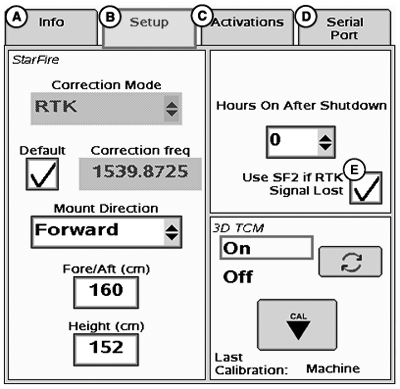
Enable SF2 Fallback
A - Info Tab
B - Setup Tab
C - Activations Tab
D - Serial Port Tab
E - Use SF2 if RTK Signal Lost
Enabling SF2 Fallback allows RTK users to transition directly to SF2 after RTK signal corrections are lost and RTK-Extend times out. By default, SF2 fallback system is Off. Enable SF2 Fallback by placing a check in “Use SF2 if RTK Signal Lost” checkbox on StarFire 3000 Main page.IMPORTANT: Do not enable SF2 Fallback in situations where RTK accuracy is critical. Accuracy while operating in SF2 mode will not be equal to performance of RTK.
PC13480-UN-26APR11
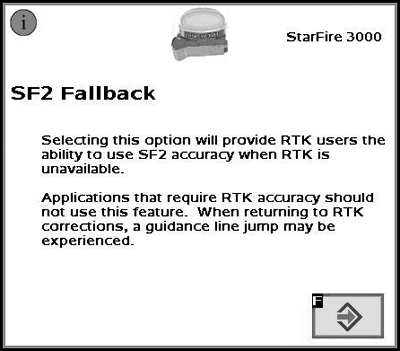
SF2 Fallback
A - Selecting this option will provide RTK users the
ability to use SF2 accuracy when RTK is unavailable.
Applications
that require RTK accuracy should not use this feature. When returning
to RTK corrections, a Guidance line jump be experienced.
|
HC94949,0000058-19-20120509 |