Managing Activations
PC13234-UN-31MAR11
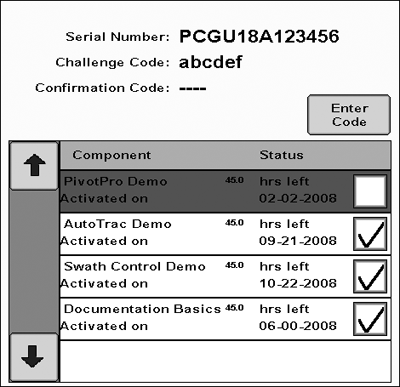
The buttons and functions corresponding to each GreenStar Pro Module activation may be shown or hidden by checking the ON / OFF checkbox for each activation. The box must be checked to use the corresponding Pro Module. By turning OFF activations that are not being used, the corresponding buttons and functions will be hidden, making the display simpler to navigate.
Demo Activations are available to try out each Pro Module for 15 hours of use. The AutoTrac Demo is turned on by default. To try another Demo, such as Swath Control, turn it on and the Swath Control buttons and functions will show up on the display if an implement controller capable of that Pro Module is connected.
Go to GreenStar Main >> Settings >> Activations
Turning a Demo Activation OFF will not stop the activation time from counting down if the corresponding function has been setup and started. It will simply hide the corresponding buttons.
|
BA31779,000017C-19-20110429 |