Machine
PC13201-UN-25MAR11
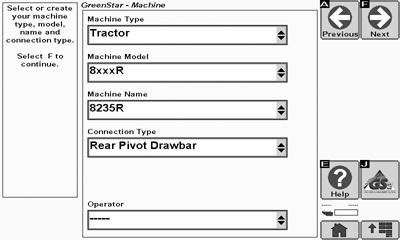
Machine Setup Page
-
Select the Machine Type (e.g. tractor, combine, or sprayer). This list box is grayed out when the display automatically recognizes the machine.
-
Select or create the Machine Model number being used. The drop down list is pre-populated with some John Deere vehicles.
-
Select or create your Machine Name. The name is used to further clarify which machine is being used. For instance, if there are two 8430’s in your operation, the machine names may be simply “1” and “2”.
Settings pertaining to the Machine, offset measurements are stored to the Machine Name.
Some list boxes may be grayed out when the machine is automatically recognized.
-
Select a Connection Type. The following options are available (examples are shown):
- Rear Rigid 3-pt
- Rear Pivot 2-pt
- Rear Pivot Drawbar
- Rear Pivot Wagon-Hitch
- Front Rigid 3-pt (e.g. combine header or front mounted mower conditioner)
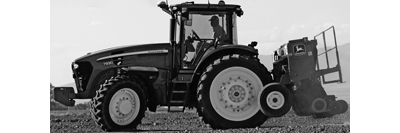
PC10857JS-UN-13APR09Rear Rigid 3-pt
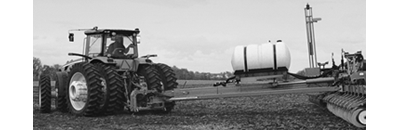
PC10857JT-UN-13APR09Rear Pivot 2-pt
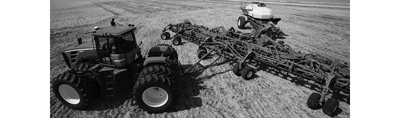
PC10857JU-UN-13APR09Rear Pivot Drawbar
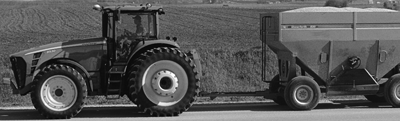
PC10857JV-UN-13APR09Rear Pivot Wagon-Hitch
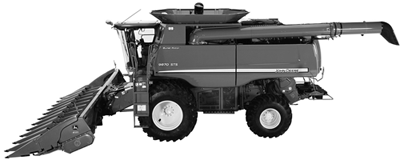
PC10857JW-UN-13APR09Front Rigid 3-pt
-

PC10857JP-UN-13APR09Next
Select Next button. -

PC10857JX-UN-13APR09Non-steering Axle Toggle
Select the Non-steering Axle Toggle to change the non-steering axle per your machine as indicated by the diagram. The following is a list of some Non-Steering Axle Locations:- Row Crop Tractor (Wheel) Rear Axle
-
Track Tractor Rear Axle
(The point is actually located somewhere in front of the rear axle. Best way to locate point is by making a turn at field operating speeds with normal draft load and ballast applied. Measurement point is where soil begins to build on the outside track.)
- (4wd) Four Wheel Drive Front Axle
- Self-Propelled Sprayer Rear Axle
- Combine and SPFH Front Axle
-

PC10857JY-UN-13APR09Lateral Receiver Offset Toggle
Select the Lateral Receiver Offset Toggle to change the GPS receiver offset direction per your receiver setup. If your lateral offset is zero, the direction will not matter. -
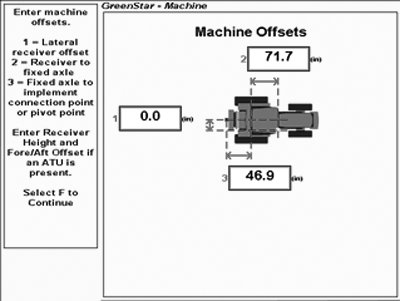
PC13550-UN-03MAY11GreenStar Machine
Enter the Machine Offsets. These offsets are used to eliminate skips or overlaps for mapping and for curve track accuracy.- Lateral distance from the center-line of the machine to the center of the GPS receiver. This distance is zero in many cases.
- In-line distance from the non-steering axle to the center of the GPS receiver, measured horizontally.
- In-line distance from the non-steering axle to the connection/pivot point.
The connection/pivot point is where the tractor connects to the implement (drawbar, hitch) except on 2 pt pivoting implements (e.g. large planter). In this case, measure the distance back to the pivot point immediately behind the hitch.
Use a tape measure to accurately determine machine offsets.
These offsets are saved to the Machine Name.
-
PC10857JP-UN-13APR09Next
Select Next button.
|
BA31779,000017F-19-20110503 |