Recording Source
-
Select a Recording Source to turn Coverage recording ON and OFF. The following are the available recording source options and are dependent upon vehicle type: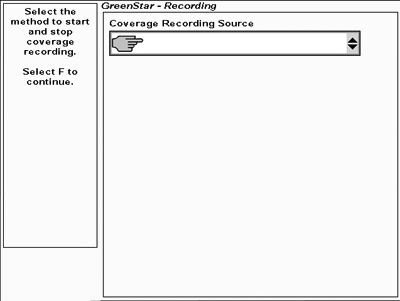
PC13554-UN-03MAY11-
Manual Recording
The operator pushes Recording button on the Run page.
-
Automatic
Recording operated by controller
- Rear 3-point Hitch
- SCV I – SCV VI
- Front PTO
- Rear PTO
- Implement Switch Open
- Implement Switch Closed
- AccuDepth
If your machine or implement is equipped with an automatic recording source Auto will appear in the list box and it will be disabled.
AccuDepth only appears in recording source drop-down when an AccuDepth controlled implement is connected. SCV Recording does not allow recording; AccuDepth must be used as Recording Source.

PC13203-UN-25MAR11Manual Recording

PC10857XJ-UN-16JUN10Manual Recording Button

PC13204-UN-25MAR11Rear 3-point Hitch

PC13205-UN-25MAR11SCV I – SCV VI

PC13206-UN-25MAR11Front PTO

PC13207-UN-25MAR11Rear PTO

PC13208-UN-25MAR11Implement Switch Open

PC13209-UN-25MAR11Implement Switch Closed

PC17581-UN-22AUG13AccuDepth
-
Manual Recording
-

PC10857JP-UN-13APR09Next
Select Next button.
|
BA31779,00006C0-19-20130823 |