Attaching Your Display
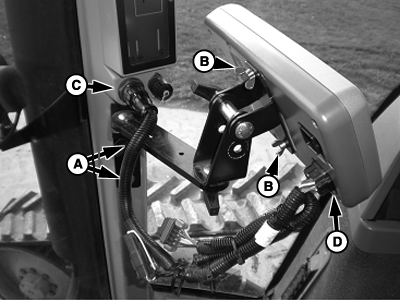
PC10857GA-UN-28OCT08
A - Corner Post Mounts
B - Wing Nuts (2 Used)
C - Vehicle Display Connector
D - Connector on Display
-
Attach bracket to corner post mounts (A).
-
Attach display to bracket using the wing nuts (B) (provided with display).
-
Attach harness to the corner post connector (C) and the lower connector on the back of the display (D).
-
Position the display so that it is comfortable to reach and does not obstruct your view.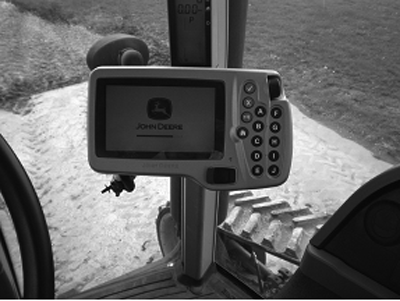
PC10857GC-UN-28OCT08
Display must be connected to SWITCHED and CONSTANT power. This allows the display to shutdown properly and save data. When the key is switched off, a 'Saving Settings' message will appear on the screen.
Bracket and harness are sold separately.
|
OUO6050,0001013-19-20081028 |