Understanding The Display Menu
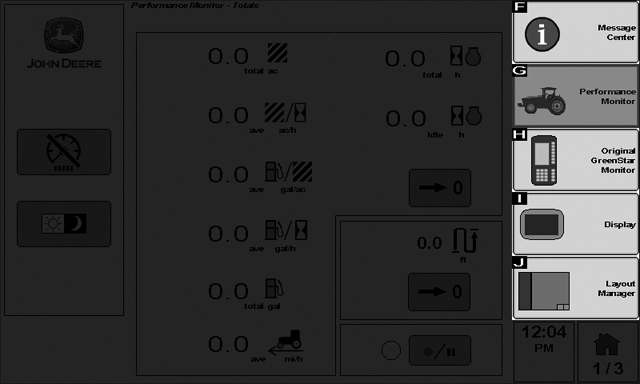
PC10857GZ-UN-30OCT08
Select the Menu button to show available applications
Rotate the thumb wheel to highlight the desired menu selection and select the check button.
Standard menu items found in the display menu are:
- Layout Manager - set up three home pages for easy access to information that is often referenced and to controls that are frequently used.
- Display - set time, date, regional settings, language, units, brightness levels, and volume.
- Performance Monitor - provides productivity information such as vehicle speeds, acre counters, and fuel efficiency data.
- Message Center - access detailed diagnostic information and manually initiate re-programming sessions.
- Original GreenStar Monitor - displays information from controllers that are designed for use with the original GreenStar display.
Application icons will also appear for any attached ISO implement controller such as StarFire iTC, GS2 Rate Controller, or SeedStar2.
|
OUO6050,0001017-19-20081030 |