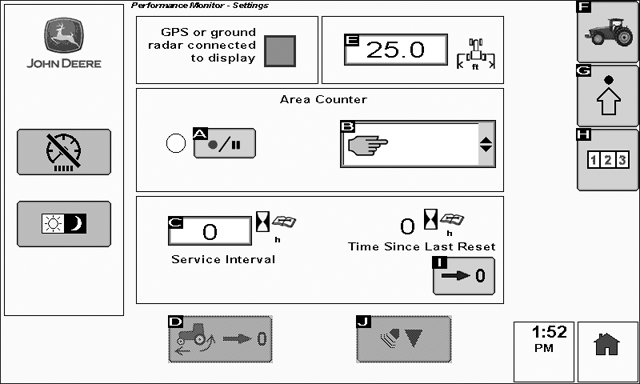
Setting the Implement (or Header) Width
PC10857GG-UN-28OCT08

PC10857GJ-UN-28OCT08
Menu Button

PC8658-UN-05AUG05
BPM Performance Monitor Icon

PC8792-UN-18OCT05
Settings softkey

PC9096-UN-17APR06
Implement/Header Width
To view the Performance Monitor Settings page select: Menu > Performance Monitor > Settings
Rotate the thumb wheel until the Implement Width input box is highlighted.
Select the check button and use the number pad to enter the implement width.
Implement width setup here is not align with the setup in the GS2 pro menu.
|
OUO6050,0001021-19-20090512 |