Advanced AutoTrac Settings
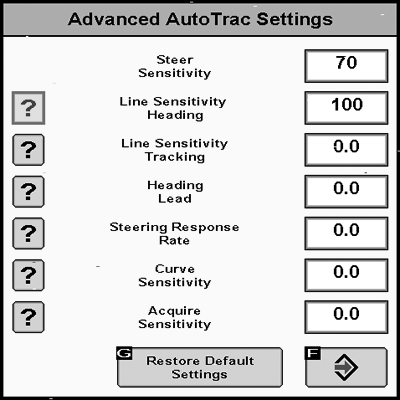
PC10857NN-UN-27APR09
The AutoTrac Settings button will only be visible under Guidance Settings when an SSU that supports advanced AutoTrac Integrated settings is detected.
The Accept button saves and applies the current settings and returns the user to the previous page. The Restore Default Settings button will set all settings to the factory default value. See each setting for its default value. The ‘?’ button will display a popup with help text for the specific setting.
|
OUO6050,000108A-19-20090411 |