Theory of Operation
PC9028-UN-16APR06
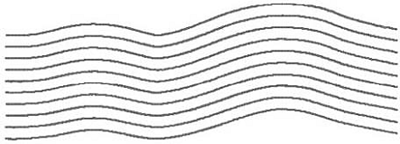
AB Curves Mode allows an operator to drive curved parallel passes that have end points on either end of the field. The guidance tracks will be parallel to the track in either direction and will be generated based on the original track to ensure that steering errors are not propagated through the entire field.
Track 0 is the reference track from which subsequent curve passes in the field are based. Once the first AB curve (Track 0) is created, 4 tracks will be generated. The system will continue to generate additional passes when the vehicle drives the last pass displayed on the screen.
Skip pass is available in AB Curves mode.
Generating AB Curve Path Information - As the system generates the initial passes after recording Track 0 or when generating additional passes the text “Generating AB Curve” will be displayed on the perspective view. During this time you will not be able to track off of any paths.
AB Curve Generation Limits - The initially recorded AB curve must be at least 10 feet in length to be a valid AB Curve to use for guidance. The vehicle must be within 400 meters (0.25 miles) of where Track 0 was recorded for the system to start generating curve paths. If the vehicle is at this outer limit it may take several minutes to generate a path that shows up on the screen. During this time “Generating AB Curve” will be displayed on the screen.
Multiple AB Curves in a field - A field can contain multiple AB Curve paths. Each AB curve for a field must be recorded and uniquely named.
Track Numbering - Tracks will be numbered to allow for skip pass and to aid in finding passes. The direction label (N,S,E, or W) is defined by the heading determined between the first and last point in the curve.
The curvature of the path changes as the subsequent paths get more convex or concave.
|
OUO6050,00010B5-19-20090412 |