Rinse Cycle
PC13156-19-17FEB11
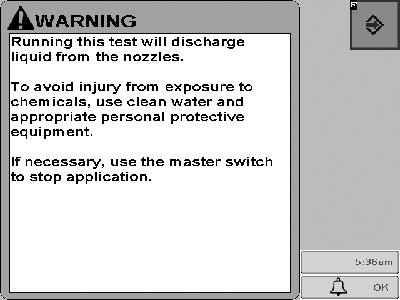
This message will be displayed when any diagnostic test is selected on sprayer or liquid fertilizer applications that will discharge liquid.
PC14156-UN-02NOV11
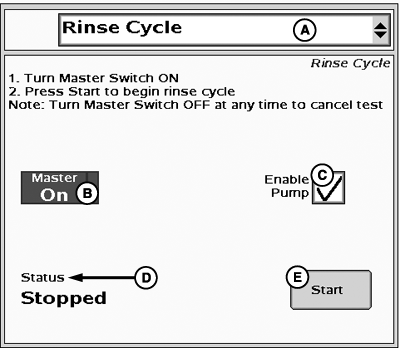
Rinse Cycle
A - Tests Drop-Down Menu
B - Master Switch Indicator
C - Enable Pump Checkbox
D - Rinse Cycle Status
E - Start Rinse Cycle Button
The operator can select a Rinse Cycle test, which will open all of the section and fence row valves and the flow control valve fully. After pressing the Start button, the system will run until the flow meter detects reduced flow.IMPORTANT: Always fill the solution tank with clean water to do a proper rinse cycle.
- Select Rinse Cycle from the tests drop-down menu.
- Turn the Master Switch ON
-
Check Enable Pump checkbox (C) if it is displayed.
NOTE: Enable Pump checkbox (C) will only be displayed if control
valve type is PWM and Pump Enable checkbox was selected in PWM settings.
- Select Start to begin rinse cycle.
To begin Rinse Cycle:
|
HC94949,00004F5-19-20140501 |