Raven Direct Injection Pump Setup (If Equipped)
-

PC8663-UN-08DEC14Menu Softkey
Select menu softkey. -
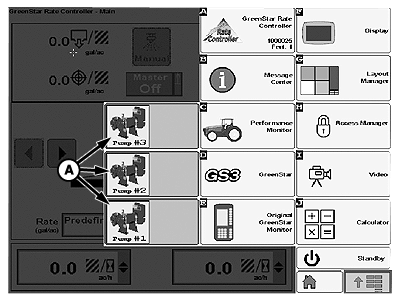
PC14934-UN-04MAY12Raven Pump Softkey
A - Raven Pump Softkey
Select Raven Pump softkey (A). -
If multiple pumps are used, set up each pump individually (see Raven Sidekick™ Pro Operator’s Manual for pump setup).
NOTE: If more than one pump is being used, be sure that the pumps are not classified with the same pump number.
-
PC8663-UN-08DEC14Menu Softkey

PC15160-UN-25MAY12GreenStar™ Rate Controller Softkey
Select menu softkey. -
Select controller softkey.
-
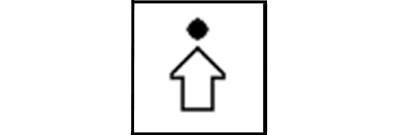
PC9419-UN-12SEP06Setup Softkey
Select Setup softkey to enter controller setup.NOTE: Turn off master switch to change most settings or values.
-
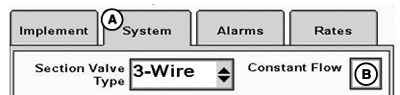
PC20508-UN-09DEC14System Tab
A - Implement Tab
B - Constant Flow Checkbox
Select System tab (A). -
If Raven Sidekick™ Pro is being used on a sprayer or liquid fertilizer tool, select Constant Flow (B).
-

PC14938-UN-03MAY12Direct Injection Pump Softkey
Select the direct injection pump softkey. -
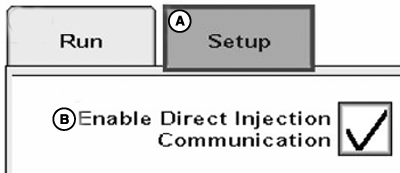
PC20374-UN-04DEC14Enable Direct Injection Communication Checkbox
A - Setup Tab
B - Enable Direct Injection Communication Checkbox
On Setup tab (A), check Enable Direct Injection Communication checkbox (B). -
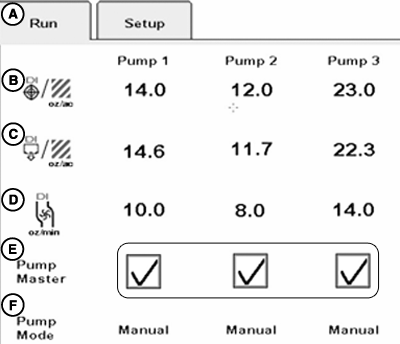
PC20375-UN-04DEC14Pump Master Checkboxes
A - Run Tab
B - Target Rate
C - Applied Rate
D - Flow Rate
E - Pump Master Status
F - Pump Mode
Run tab (A) displays values based on initial setup done in Raven setup screens:- Target rate (B)
- Applied rate (C)
- Flow rate (D)
- Pump mode (E)
NOTE: Use Raven Pump softkey to adjust values.
-
Pumps can be enabled or disabled by checking or unchecking Pump Master checkboxes (F).
-
Rates can be viewed on GreenStar™ Rate Controller main run page and homepages by selecting the desired rate from the totals list.
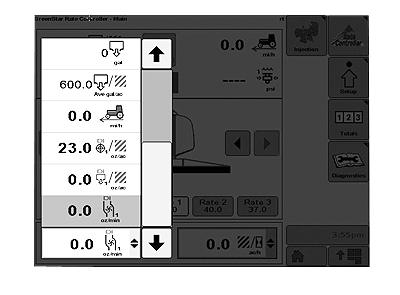
PC14941-UN-02MAY12
|
Raven Sidekick is a trademark of Deere & Company GreenStar is a trademark of Deere & Company |
HC94949,00006AF-19-20150107 |