Implement Selection
PC20722-UN-23JAN15
Implement Type
PC20750-UN-29JAN15
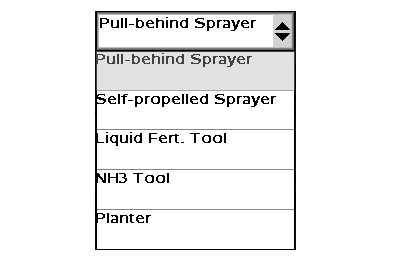
Implement Selection Drop-Down Menu
PC20721-UN-23JAN15
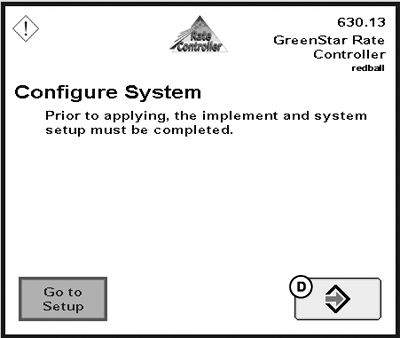
Configuration Notification
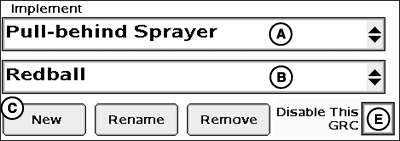
A - Implement Type Drop-down Menu
B - Implement Name Drop-down Menu
C - New Button
D - Accept Button
E - Disable This GRC Checkbox
Implement name must be defined before System, Alarms, and Rates tabs are enabled.- Select desired implement type from drop-down (A).
- Select implement name from drop-down (B) or select New (C), and enter implement name.
- For new setup, select Accept (D) on configuration notification.
NOTE: If GreenStar™ Rate Controller will not be used but remain connected, select Disable This GRC checkbox (E) to eliminate connection to display for Documentation, John Deere Section Control, and controller warnings.
|
GreenStar is a trademark of Deere & Company |
HC94949,0000705-19-20150203 |