Importing Global or Shapefile Prescriptions
On a Desktop Computer
Insert a USB drive.
-
Shapefile Prescriptions and Global Prescriptions (GRx) files:
- Create a folder named Rx in the root of the USB drive.
- Copy the shapefiles and GRx files into this folder.
On the Display
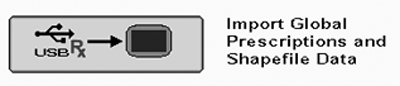
PC14276CC-19-24OCT13
Import Global Prescriptions and Shapefile Data
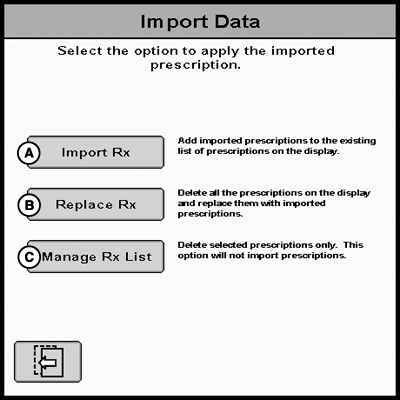
PC14275CC-19-24OCT13
Import Data
A - Import Rx
B - Replace Rx
C - Manage Rx List
-
NOTE: The GreenStar 3 2630 display has a limit of 120 prescriptions.
Turn off all types of Recording and stop the vehicle.
-
Insert USB drive.
-
A Data Transfer page will appear within about 10 seconds.
-
Select Import Global Prescriptions and Shapefile Data.
NOTE: The Import Global Prescriptions and Shapefile Data softkey will be grayed out and unable to import prescriptions, if USB has over 120 prescriptions.
-
Select either Import Rx (A) or Replace Rx (B).
-
Selecting Import Rx (A) will add prescriptions
from the USB to the existing list of prescriptions on the display.
NOTE: Import Rx option will be grayed
out and unable to import prescriptions, if prescriptions on USB plus
prescriptions on the display is greater than 120 prescriptions.
-
Selecting Replace Rx (B) will delete
all the prescriptions on the display and replace them with prescriptions
in the USB.
IMPORTANT: If Replace Rx is selected all Global and Shapefile Prescriptions on the display will be deleted prior to importing.
-
Selecting Import Rx (A) will add prescriptions
from the USB to the existing list of prescriptions on the display.
NOTE: Import Rx option will be grayed
out and unable to import prescriptions, if prescriptions on USB plus
prescriptions on the display is greater than 120 prescriptions.
-
When the data transfer is finished, a Data Transfer is Complete message will appear.
|
BA31779,00003E1-19-20131024 |