Disable or Enable Sections
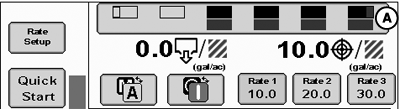
PC22434-UN-06APR16
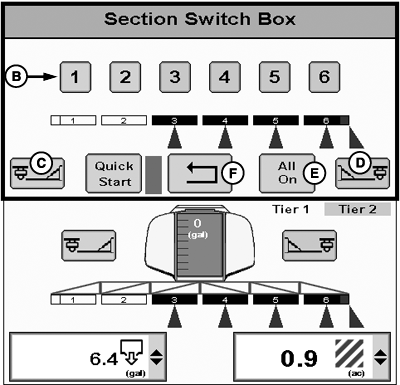
PC22435-UN-06APR16
A - Section Switchbox Button
B - Section Number Buttons
C - Left Fence Row Nozzle Button
D - Right Fence Row Nozzle Button
E - All On Button
F - Back Button
-
Select Section Switchbox button (A).
-
NOTE: Section Number buttons highlighted orange are enabled.
Disable or enable sections.
- Select Section Number button (B) to enable or disable section. If operating a multiple product configuration, enabling or disabling a section affects all products in that section group. If needed, select a different product to access different section groups.
- If equipped, select Fence Row Nozzle button (C and D) to enable or disable fence rows nozzles.
- Select All On button (E) to enable all sections for product or section group.
-
Select Back button (F) to return to main run page.
- Disabled— Manually disabled by Section Switchbox buttons.
- Enabled—Section is ready to apply.
- Active—Section is applying.
Implement sections can be in one of three states:
|
State |
Section |
Fence Row Nozzle |
|---|---|---|
|
Disabled |
Clear |
Clear |
|
Enabled |
Black |
Purple |
|
Active |
Implement Icon — Black with Blue Triangle Below Section Switchbox Button — Black with Blue Box Below |
Implement Icon — Blue with Blue Triangle Below Section Switchbox Button — Black with Blue Box Below |
|
RW00482,00006A7-19-20160609 |