Calibrate Terrain Compensation Module (TCM)
PC19992-UN-04SEP14
PC19993-UN-03SEP14
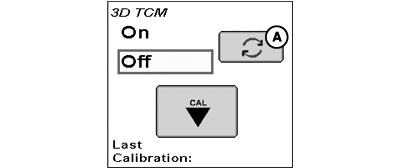
A - TCM Toggle Button
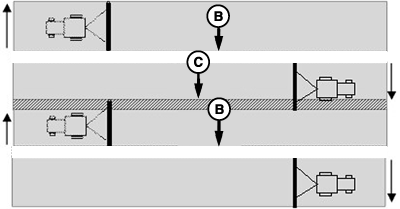
B - Skip
C - Overlap
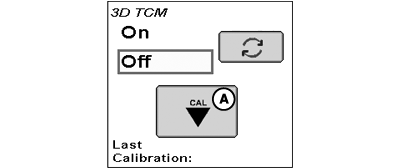
Select TCM toggle button (A) to turn TCM on and off. When TCM is turned off, StarFire™ global positioning system (GPS) message is not corrected for machine dynamics or side slopes. TCM defaults to on when cycling power.
NOTE: TCM must be turned on for AutoTrac™ to activate.
Calibrate TCM so receiver can determine zero degree roll angle and pitch angle.
Before calibrating, ensure machine and implement are in proper working condition and ready for field work. Machine must be ballasted and tires properly inflated. Lower implement as close as possible to working position when calibrating.
Calibrate TCM every time receiver is removed from machine and reattached or if TCM angle in relation to machine has changed. Changes in TCM angle in relation to machine can create an offset and look like a consistent skip (B) or overlap (C) in pass-to-pass operation. Possible causes of this offset could be StarFire™ mounting bracket is slightly offset, machine cab is slightly offset, or uneven tire pressures from one side to other.
To eliminate offset, position machine and calibrate TCM, drive down a pass, turn around, and drive down same pass in opposite direction. If machine does not follow same pass, measure offset distance and enter in implement offset.
Position Machine and Calibrate Terrain Compensation Module (TCM)
PC19995-UN-03SEP14
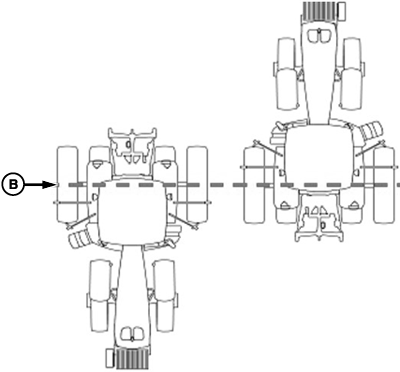
Floating Front Axle Machines
PC19996-UN-03SEP14
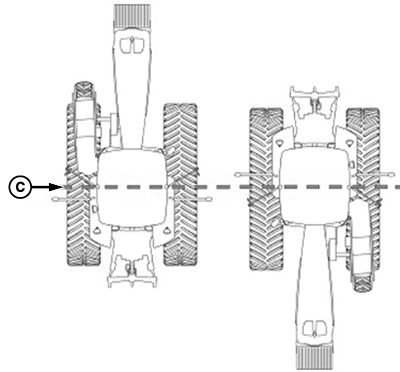
Fixed Axle Wheels Or Tracks Machines
PC19994-UN-04SEP14

PC22267-UN-14MAR16
Accept Button
A - Calibration Button
B - Rear Axle
C - Machine Pivot Point
- Park machine on a hard, level surface and come to a complete stop (cab is not rocking).
- Mark location of tires or tracks on ground to note location of axle.
- Select Calibration button (A).
- Select Accept button. Calibrating status bar appears, then disappears when finished.
-
Turn machine 180 degrees to face opposite direction. Ensure
tires are in proper location for fixed or floating front axle and
machine has come to a complete stop (cab is not rocking).
- For floating front axle machines (MFWD (mechanical front wheel drive), ILS™ (Independent Link Suspension), TLS™ (Triple-Link Suspension)), place wheels so rear axle (A) is in same location when performing 2-point calibration.
- For fixed-axle wheels or tracks machines (track tractors, 47X0 and 49X0 series sprayers, 9000, and 9020 series wheel tractors), place wheels or tracks so machine pivot point (C) is in same location when facing either direction.
- Select Accept button. Calibrating status bar appears, then disappears when finished.
- Select Accept button to return to Setup tab. If calibration was unsuccessful, re-calibrate the TCM.
|
StarFire is a trademark of Deere & Company AutoTrac is a trademark of Deere & Company ILS is a trademark of Deere & Company TLS is a trademark of Deere & Company |
DK01672,000019E-19-20160314 |