Adjusting Drawbar Length
P15232-UN-06FEB08
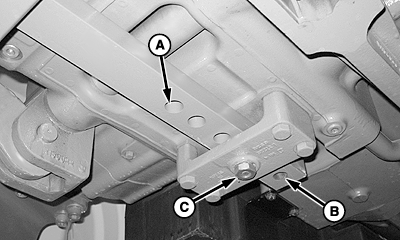
A - Hole, RETRACTED (short) Drawbar Position
B - Hole, EXTENDED Drawbar Position
C - Retaining Pin and Nut
Hole (A): SHORT position
Hole (B): EXTENDED position
-
Loosen and remove drawbar retaining pin and nut (C).
-
Slide drawbar forward or rearward to desired position.
-
Align holes and install retaining pin and nut. Tighten to specifications.
Item Measurement Specification Drawbar Retaining Pin Nut Torque 410 N·m (300 lb-ft)
|
NS43404,0000493-19-20080206 |