Setting Performance Monitor Access
RXA0110765-UN-09SEP10
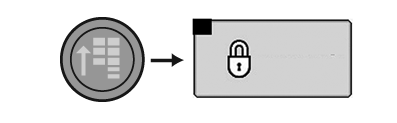
CommandCenter™ →Main Menu →Access Manager Icon
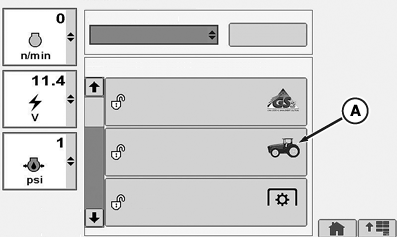
RXA0106145-UN-15JUL10
Access Manager Applications
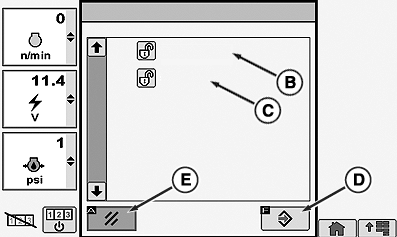
RXA0106160-UN-20AUG10
Configure Operator Access Levels
A - Performance Monitor Icon
B - Reset Counters
C - Settings
D - Enter/Save Softkey
E - Cancel Softkey
-
Select Menu button.
-
Select Access Manager.
-
Select Performance Monitor (A).
-
Select Reset Counters (B) for Distance Counter or Area and Fuel Counters.
Select Settings (C) for Service Interval and Implement Width.
-
Select Enter/Save softkey (D) to save changes.
Select Cancel softkey (E) to exit without saving changes.
|
CommandCenter is a trademark of Deere & Company |
OURX935,000001F-19-20100921 |