Setting Startup Gear And RPM Droop
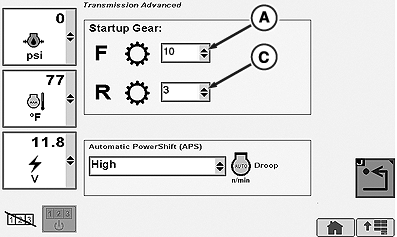
Selecting Forward Startup Gear
RXA0104032-UN-22JUL09
Transmission → Advanced Settings
RXA0106121-UN-13SEP10
PST Settings Page
RXA0106123-UN-13SEP10
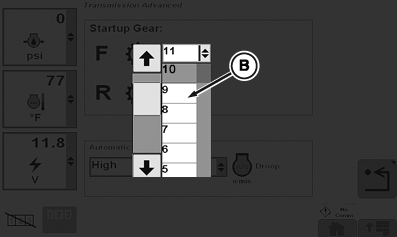
Drop Down Box For Forward Start Up Gear
RXA0106125-UN-18FEB10
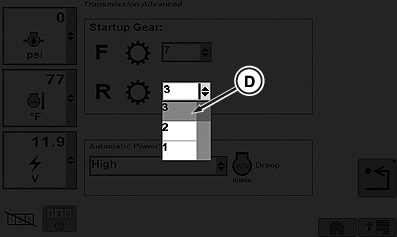
Drop Down Box For Reverse Start Up Gear
A - Forward Gear Drop Down Box
B - Forward Gear Selected
C - Reverse Gear Drop Down Box
D - Reverse Gear Selected
-
Select Transmission.
-
Select Advanced Settings softkey.
-
Using thumb wheel, scroll down to arrows in forward gear drop down box (A).
-
Using Confirm button select forward gear (B).
Selecting Reverse Startup Gear
-
Using thumb wheel, scroll down to reverse gear drop down box (C) and press Confirm button.
-
Using Confirm button select reverse gear (D).
Selecting rpm Droop
RXA0104032-UN-22JUL09
Transmission → Advanced Settings
RXA0106129-UN-20AUG10
PST Settings Page
RXA0106127-UN-18FEB10
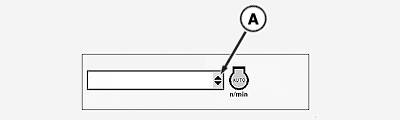
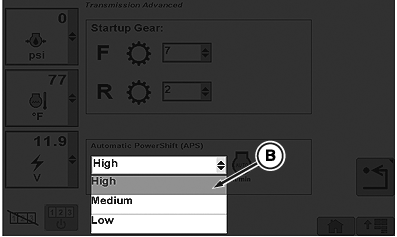
Drop Down For Droop Setting
A - RPM Droop Drop Down Box
B - RPM Droop Selection
-
Select Transmission.
-
Select Advanced Settings softkey.
-
Using thumb wheel, scroll down to rpm Droop drop down box (A).
NOTE: When droop drop down box appears, scroll thumb wheel to appropriate selection where it will highlight automatically.
-
Press Confirm button to select required highlighted droop setting (B).
Autoshift sensitivity can be changed through transmission setting in CommandCenter. Medium setting set from factory should satisfy most field applications.
1. Low — Most sensitive engine speed control setting for APS load mode. Used for applications where strict engine speed control is desired. Minimal engine speed droop is required to initiate automatic shifts. This setting is automatically selected by the PTP control unit when PTO is ON.
2. Medium — Moderately sensitive engine speed control setting for APS load mode. Factory default and used for most field applications where a moderate level of change in load will be encountered and a balanced sensitivity to changing loads is desired.
3. High — Least sensitive engine speed control setting for APS load mode. Used for applications with highly variable load conditions. This setting allows more of a load change before initiating any automatic shifts.
Transmission will downshift as many gears as necessary under heavy load. Throttle position change allows a maximum downshift or upshift of three gears.
|
OURX935,0000D79-19-20100210 |