Using Delayed Egress Lighting (If Equipped)
RXA0107021-UN-26MAR10
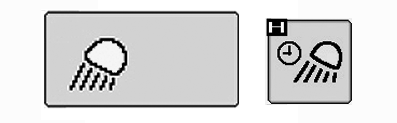
COMMANDCENTER Main Menu Lights Icon → Delayed Egress Soft Key
RXA0106072-UN-18AUG10
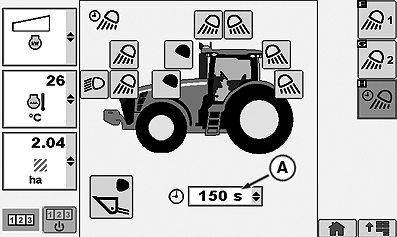
Lights Page (Delayed Egress Lighting)
RXA0105959-UN-26MAR10
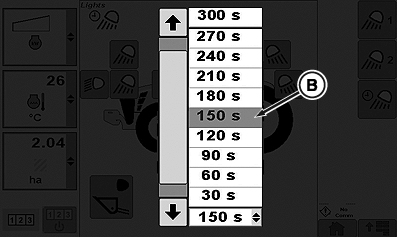
Delayed Egress Time Drop Down Box
A - Delayed Egress Time Selection Box
B - Delayed Egress Time Options
Programming Delayed Egress lighting allows operator to select which combination of White Lights will remain on and for the amount of time those selected lights will remain on after lights switch is turned off.
At CommandCenter™ main menu, select Lights icon.
Select Delayed Egress soft key.
Select Delayed Egress Time Selection box (A).
When drop down box options appear, select desired Delayed Egress time (B) before lights will automatically turn off. This could be from 10 to 300 seconds in 30 second increments.
|
CommandCenter is a trademark of Deere & Company |
OURX935,0001081-19-20100430 |