Learn Distance Only
RXA0110773-UN-09SEP10
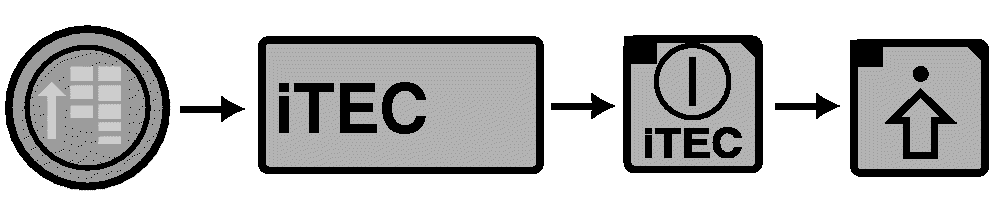
CommandCenter™ Main Menu → iTEC → iTEC On → Advanced Settings
RXA0107042-UN-29JUL10
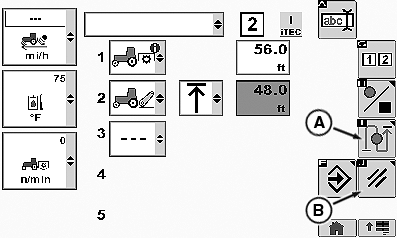
Edit Page
A - Learn Distance Softkey
B - Cancel Softkey
NOTE: Learn Distance can be used to either learn the distances for a sequence setup via EDIT or to just relearn distances for an existing sequence. The sequence needs to contain at least 2 functions to be able to start Learn Distance.
-
Select iTEC.
-
Select iTEC ON/OFF softkey.
-
Select Advanced Settings softkey.
-
For a sequence with at least 2 functions select Learn Distance softkey (A).
-
Drive a speed greater than 0.5 km/h (0.31mph) and select the associated sequence switch at the desired position where each function shall get executed.
NOTE: By selecting the sequence switch the highlighted function and distance are learned and the highlight moves to the next step.
-
Learn Distance ends automatically when all distances are learned.
-
To cancel learn distance, select Cancel softkey (B).
|
CommandCenter is a trademark of Deere & Company |
OURX935,000124A-19-20100921 |