Setting Performance Monitor Access

RXA0110765-UN-09SEP10
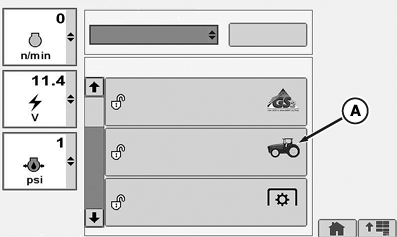
CommandCenter™ →Main Menu →Access Manager Icon
RXA0106145-UN-15JUL10
Access Manager Applications
RXA0106160-UN-20AUG10
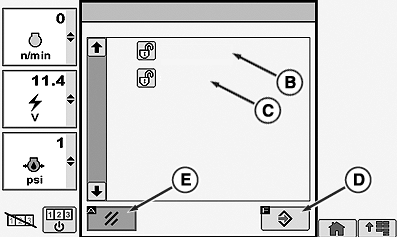
Configure Operator Access Levels
A - Performance Monitor Icon
B - Reset Counters
C - Settings
D - Enter/Save Softkey
E - Cancel Softkey
Select Menu button.
Select Access Manager.
Select Performance Monitor (A).
Select Reset Counters (B) for Distance Counter or Area and Fuel Counters.
Select Settings (C) for Service Interval and Implement Width.
Select Enter/Save softkey (D) to save changes.
Select Cancel softkey (E) to exit without saving changes.
CommandCenter is a trademark of Deere & Company | OURX935,000001F-19-20100921 |