Using Performance Monitor
RXA0098156-UN-07NOV08
Main Menu
RXA0110780-UN-09SEP10
Performance Monitor →Performance Monitor Main
RXA0106766-UN-02AUG10
Performance Monitor Main Page
RXA0112771-UN-04JAN11
Performance Monitor Settings Options
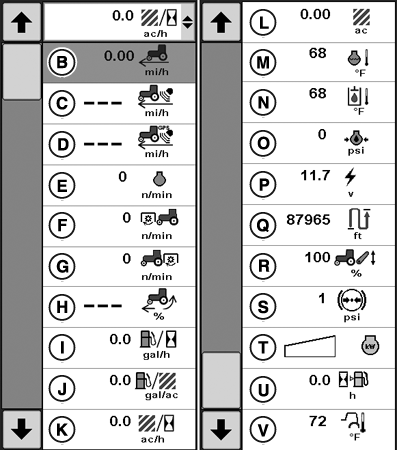
A - Performance Monitor
B - Ground Speed
C - Radar Speed
D - GPS Speed
E - Engine RPM
F - Front PTO Speed
G - Rear PTO Speed
H - % Wheel Slip
I - Fuel Consumption Per Hour
J - Fuel Consumption Per Area
K - Area Covered Per Hour
L - Total Area Covered
M - Engine Coolant Temperature
N - Hydraulic Oil Temperature
O - Engine Oil Pressure
P - System Voltage
Q - Distance Covered
R - Hitch Position
S - Brake System Pressure
T - Engine Power
U - Hours of Fuel Remaining
V - Outside Temperature
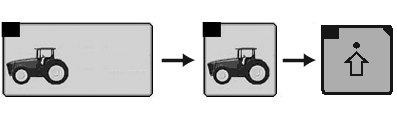
Select Menu button.
Select Performance Monitor.
Select Performance Monitor Main softkey.
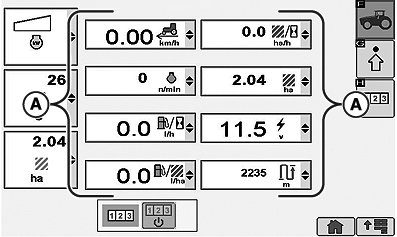
When performance monitor main page appears, eight options are displayed (A). Current settings can be monitored at this time.
Selecting the drop-down box in any of the eight displayed options allows operator to select any of the remaining performance monitor options.
ZE59858,00003A5-19-20101220 |