Adjusting Maximum Gear Setting (AutoQuad™ PLUS Only)
RXA0112262-UN-10DEC10
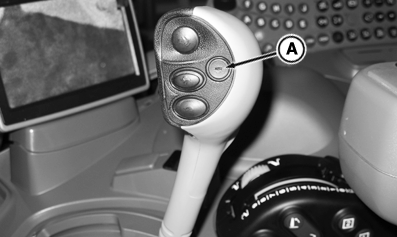
Shift Lever
RXA0111056-UN-14OCT10
A - Enable/Resume Button
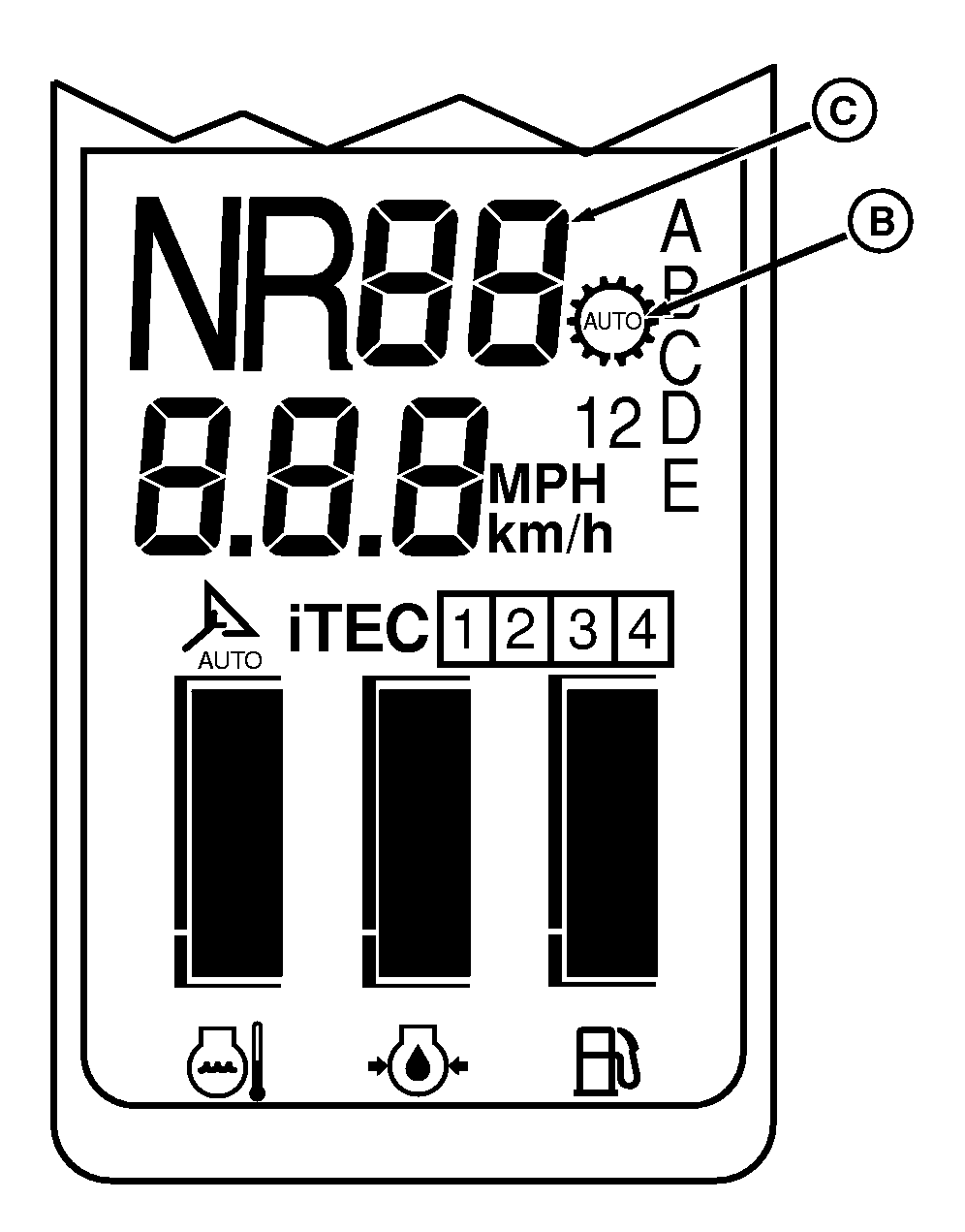
B - Automatic Shifting Indicator
C - Maximum Gear Display
Auto Shifting is activated as soon as the operator pushes enable/resume button (A) on the shift lever (automatic shifting indicator (B) will light). When Auto Mode is activated, the transmission will automatically shift to the highest gear possible based on throttle position and engine speed. Full throttle and low engine load will result in a gear selection of 4th gear. This gear may be too fast for some applications. To utilize auto shifting at a slower travel speed, the maximum gear setting feature should be used. Maximum gear adjustment will allow setting 2nd or 3rd gear as the maximum gear the transmission will shift up to.
NOTE: Maximum gear setting is done when enable/resume button (A) is pressed while in the off state. Pressing the enable/resume button (A) while the feature is enabled will cancel Auto Shifting. Any manual shifting after Auto Shift has been enabled will cancel Auto shifting. Corner post will display maximum gear setting for 4 seconds each time Auto Shift is activated for visual confirmation. Shifting between ranges after setting the maximum gear will set maximum upshift gear to fourth gear.
A single push on the enable/resume button (A) will set maximum upshift gear to fourth gear. Two rapid activations of the button will select third gear as maximum upshift gear. Three rapid activations of the button will select second gear as maximum upshift gear. Maximum gear will be displayed on corner post (C) for 4 seconds each time it is changed.
ZE59858,0000406-19-20110222 |