Adjusting Hitch Upper Limit
-
Select upper limit shortcut button (A).
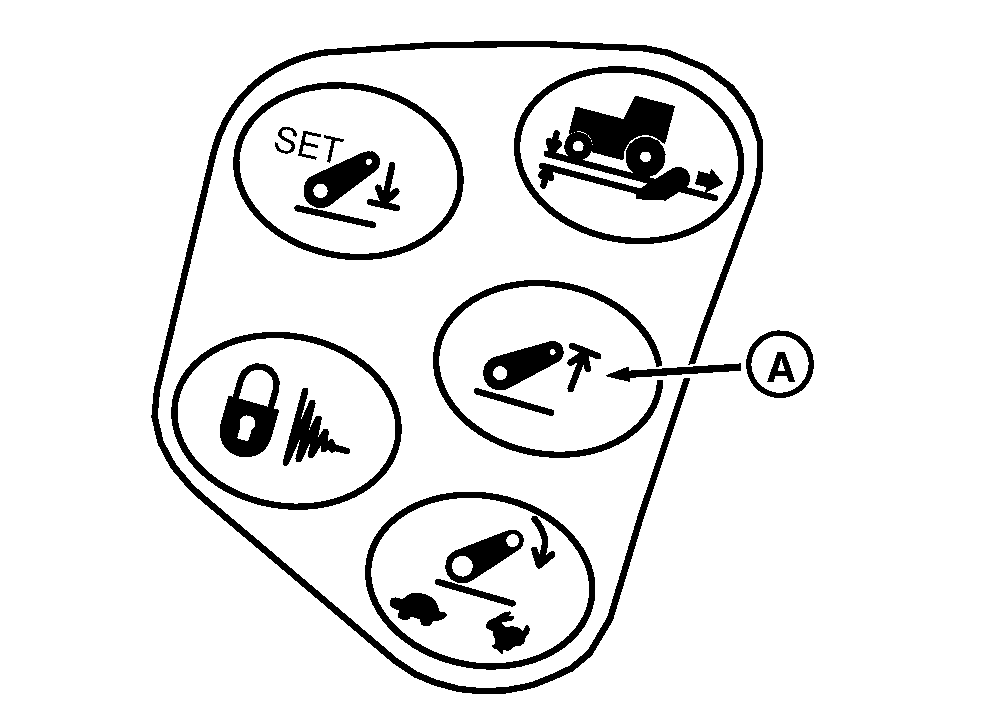
RXA0107325-UN-16APR10Hitch Upper Limit Shortcut Button
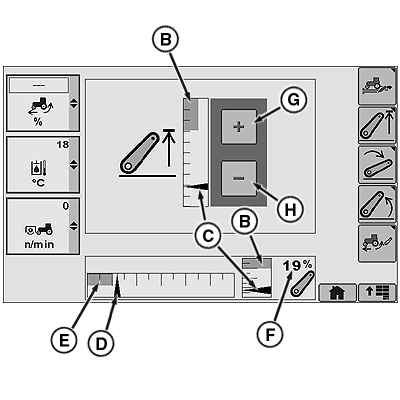
RXA0113355-UN-11FEB11Hitch Load/Depth Page
A - Hitch Upper Limit Shortcut Button
B - Upper Set Limit
C - Position/Hitch Response Indicator*
D - Commanded Depth Indicator
E - Stored Operating Depth Indicator
F - Hitch Position Value
G - Touchscreen Increase Value (If Equipped)
H - Touchscreen Decrease Value (If Equipped)
NOTE: Changes to upper limit setting take place immediately.
*In this application, Position Indicator and Hitch Response Indicator move simultaneously.
-
Move upper limit setting indicator (B) to desired position. Current hitch position is represented by position indicator (C).
|
OURX935,0000291-19-20110609 |