Configuring Tractor For GPS/Radar
Tractors equipped with radar must be re-configured if switching to GPS radio as the true ground speed input signal. To configure tractor:
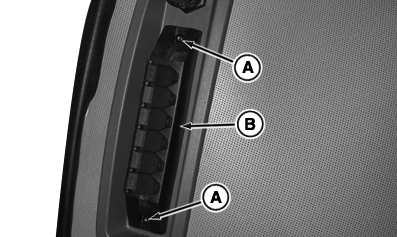
RXA0100215-UN-23JAN09
Remove Screws And Optional Power Strip
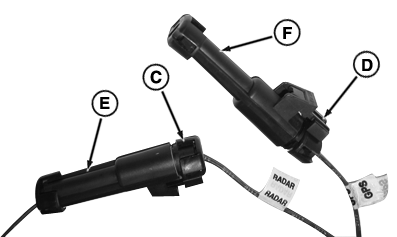
RXA0100213-UN-23JAN09
Configured Plugs For Radar
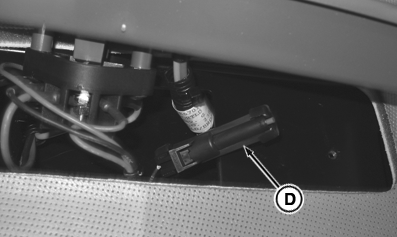
RXA0100217-UN-23JAN09
Remove Plug
A - Screws
B - Power Strip
C - Radar Plug
D - GPS Plug
E - Tractor Connector
F - Dust Cap
- Remove screws (A) and power strip (If Equipped) (B), or cover plate.
- Inside right-hand console locate one wire lead marked ”GPS” and one marked ”Radar”.
- Remove radar plug (C) from tractor connector (E).
- Remove GPS plug (D) from dust cap (F).
- Install GPS plug into tractor connector.
- Install radar plug into dust cap.
- Install power strip.
Tractors not equipped with radar, but wanting to add a GPS signal require two controller addresses to be changed. Contact your John Deere dealer.
|
OURX935,0000521-19-20110621 |